

I’m always interested in what Mitchell Hashimoto and Hashicorp are up to, I typically find their projects valuable. If you’ve heard of Vagrant, you know their work.
I recently became interested in a newer project they have called ‘Consul‘. Consul is a bit hard to describe. It is (in part):
I’ve had some more complex testing for Percona XtraDB Cluster (PXC) to do on my plate for quite a while, and I started to explore Consul as a tool to help with this. I already have Vagrant setups for PXC, but ensuring all the nodes are healthy, kicking off tests, gathering results, etc. were still difficult.
So, my loose goals for Consul are:
I’ve succeeded on some of these fronts with a Vagrant environment I’ve been working on. This spins up:
Additionally, it integrates the Test servers and PXC nodes with Consul such that:
Once I run my ‘vagrant up’, I get a consul UI I can connect to on my localhost at port 8501:
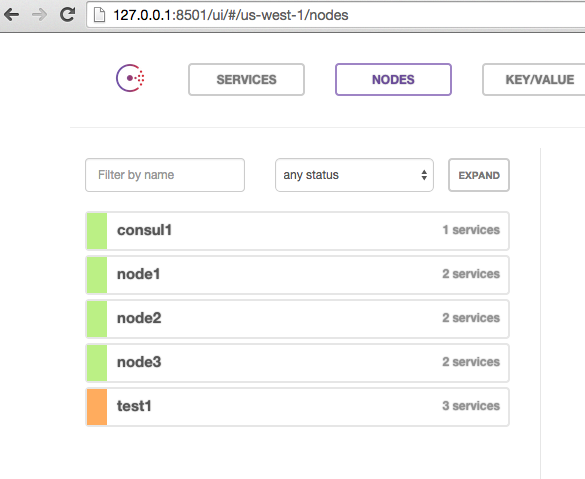
I can see all 5 of my nodes. I can check the services and see that test1 is failing one health check because sysbench isn’t running yet:
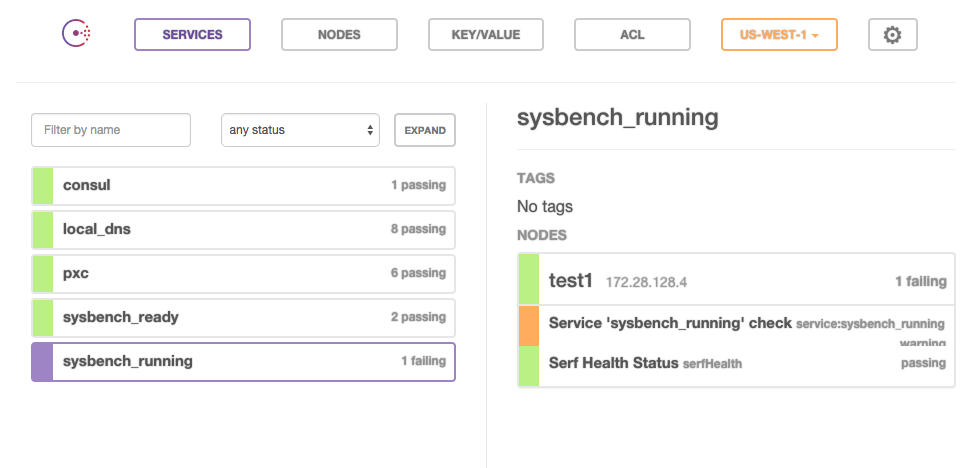
This is expected, because I haven’t started testing yet. I can see that my PXC cluster is healthy:
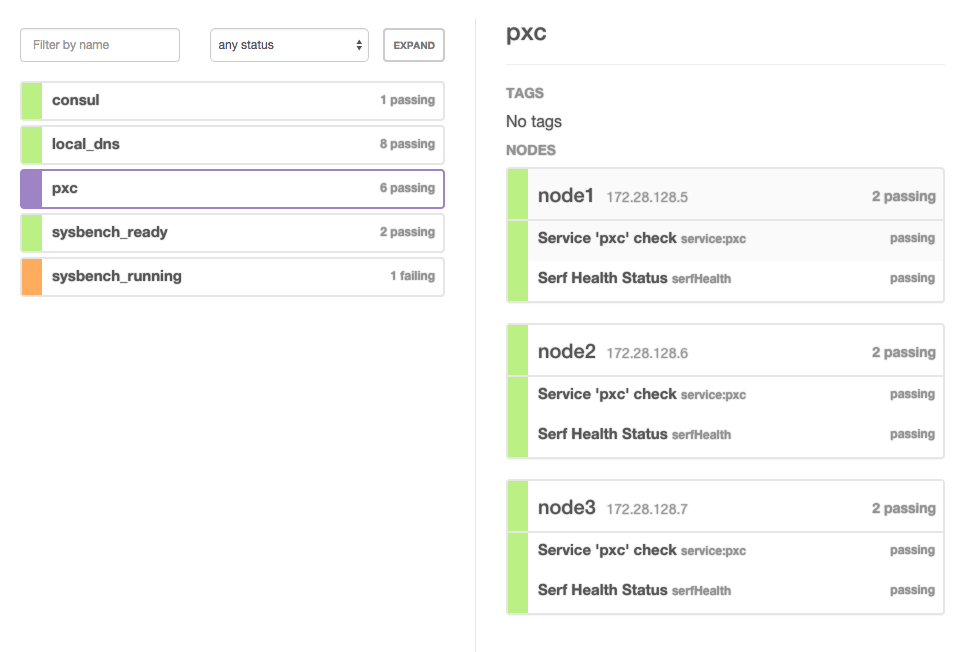
So far, so good. This Vagrant configuration (if I provide a PERCONA_AGENT_API_KEY in my environment) also registers my test servers with Percona Cloud Tools, so I can see data being reported there for my nodes:
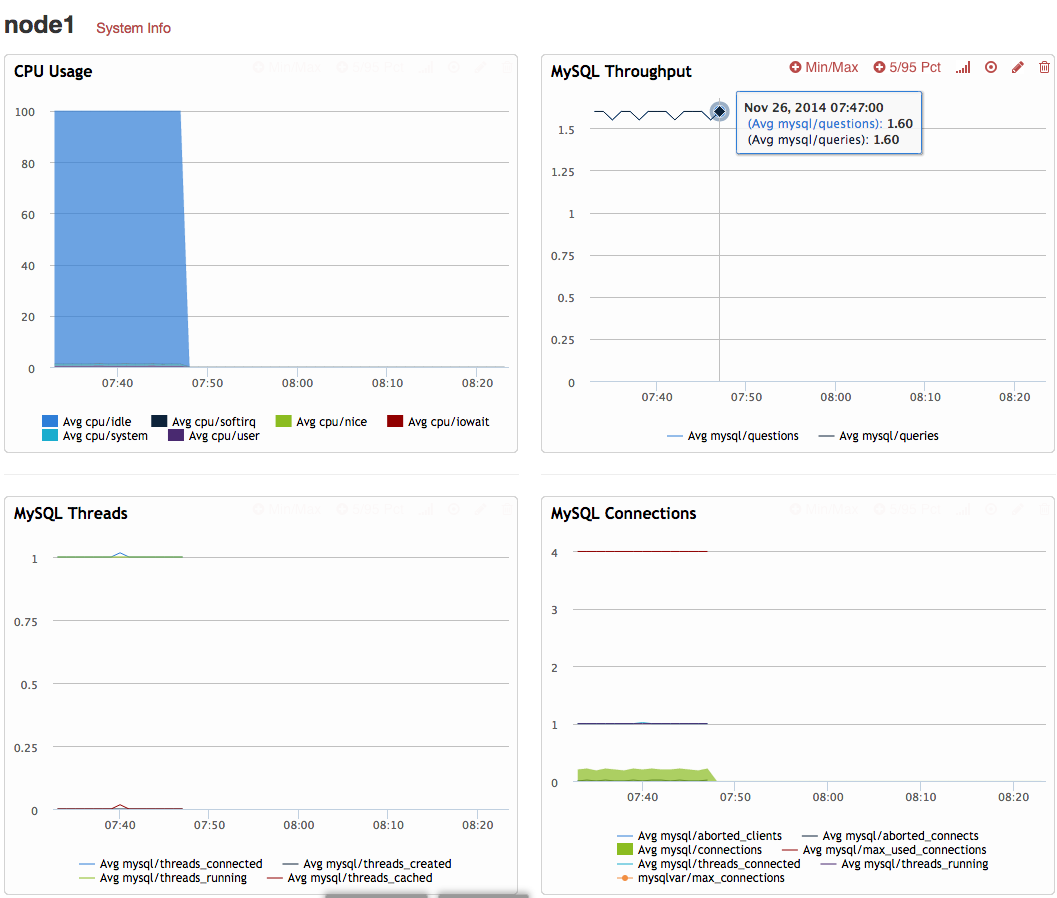
So now I am ready to begin my test. To do so, I simply need to issue a consul event from any of the nodes:
|
1 2 3 4 |
jayj@~/Src/pxc_consul [507]$ vagrant ssh consul1 Last login: Wed Nov 26 14:32:38 2014 from 10.0.2.2 [root@consul1 ~]# consul event -name='sysbench_update_index' Event ID: 7c8aab42-fd2e-de6c-cb0c-1de31c02ce95 |
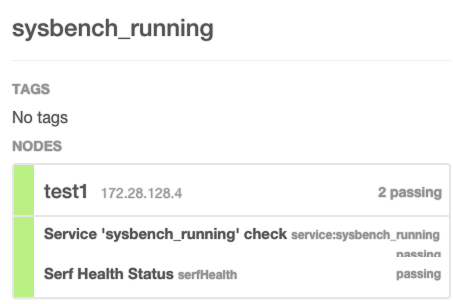
My pre-configured watchers on my test node knows what to do with that event and launches sysbench. Consul shows that sysbench is indeed running:
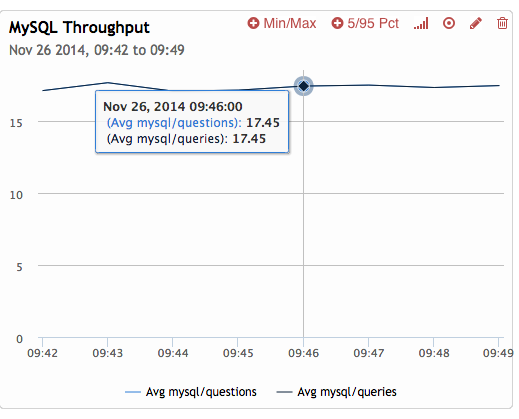
And I can indeed see traffic start to come in on Percona Cloud Tools:
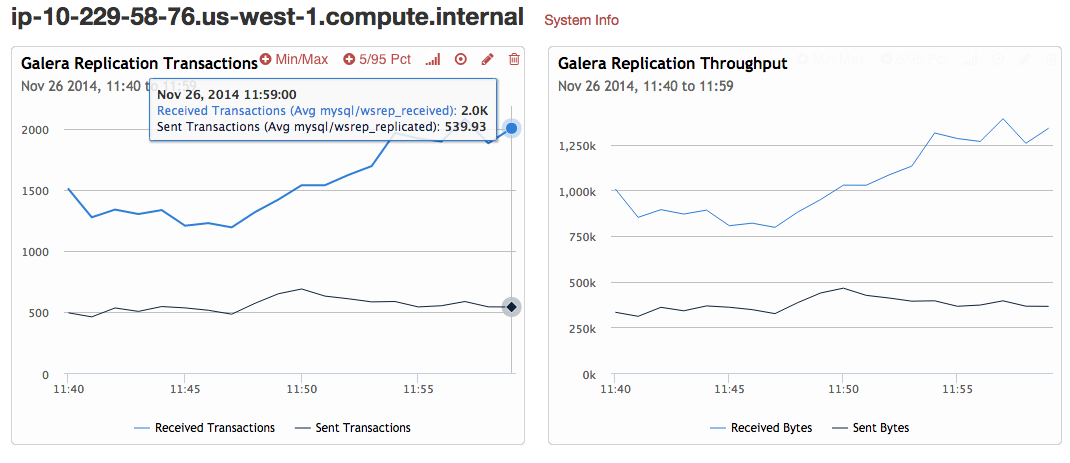
I have testing traffic limited for my example, but that’s easily tunable via the Vagrantfile. To show something a little more impressive, here’s a 5 node cluster running hitting around 2500 tps total throughput:
That so far so good, but let me point out a few things that may not be obvious. If you check the Vagrantfile, I use a consul hostname in a few places. First, on the test servers:
|
1 2 3 4 5 6 |
# sysbench setup 'tables' => 1, 'rows' => 1000000, 'threads' => 4 * pxc_nodes, 'tx_rate' => 10, 'mysql_host' => 'pxc.service.consul' |
then again on the PXC server configuration:
|
1 2 3 4 5 6 7 8 |
# PXC setup "percona_server_version" => pxc_version, 'innodb_buffer_pool_size' => '1G', 'innodb_log_file_size' => '1G', 'innodb_flush_log_at_trx_commit' => '0', 'pxc_bootstrap_node' => (i == 1 ? true : false ), 'wsrep_cluster_address' => 'gcomm://pxc.service.consul', 'wsrep_provider_options' => 'gcache.size=2G; gcs.fc_limit=1024', |
Notice ‘pxc.service.consul’. This hostname is provided by Consul and resolves to all the IPs of the current servers both having and passing the ‘pxc’ service health check:
|
1 2 3 4 |
[root@test1 ~]# host pxc.service.consul pxc.service.consul has address 172.28.128.7 pxc.service.consul has address 172.28.128.6 pxc.service.consul has address 172.28.128.5 |
So I am using this to my advantage in two ways:
This is still a work in progress and there are many improvements that could be made:
So, in summary, I am happy with how easily Consul integrates and I’m already finding it useful for a product in its 0.4.1 release.
Resources
RELATED POSTS





Hi, I am about to use percona + consul for production. I am about to avoid consul-template since I already use chef for configuration.
Can you please confirm that usage of
'wsrep_cluster_address' => 'gcomm://pxc.service.consul',will result in using/specifying of “all” the hosts registered in ‘pxc’ service defined on consul? Like one..N IP addresses? It ovbiously depends on what percona does with “gcomm://” handler.Thanks PMi
Hi epcim — wsrep_cluster_address does not demand every active cluster node be listed. It is used only when the local node is starting and it only needs to find ONE active node in the cluster. pxc.service.consul only needs to give a single ip of another active node for the local node to successfully join.
Thanks!