

Setting up Percona Monitoring and Management (PMM) alerts for multiple channels can significantly enhance your monitoring strategy. In this blog post, we will talk about the steps to configure alerts for some well-known communication platforms like Telegram, Slack, and WebHook.
Please note that I am not covering the basic alerting and configuration setup. For that, you can refer to the official manual:- https://docs.percona.com/percona-monitoring-and-management/get-started/alerting.html#percona-alerting
Before using these channels, it is essential to first create some alerts for notification purposes.
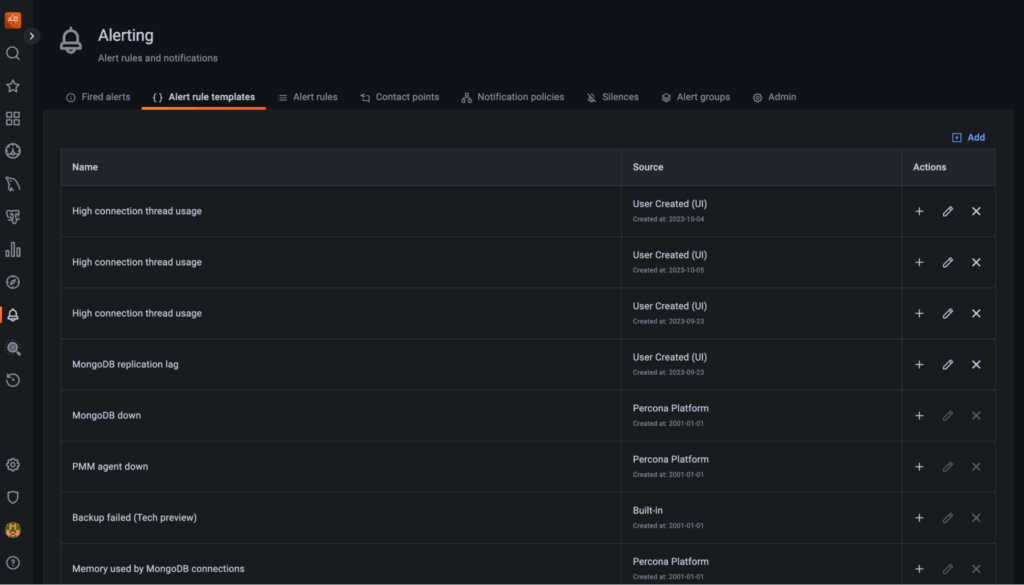
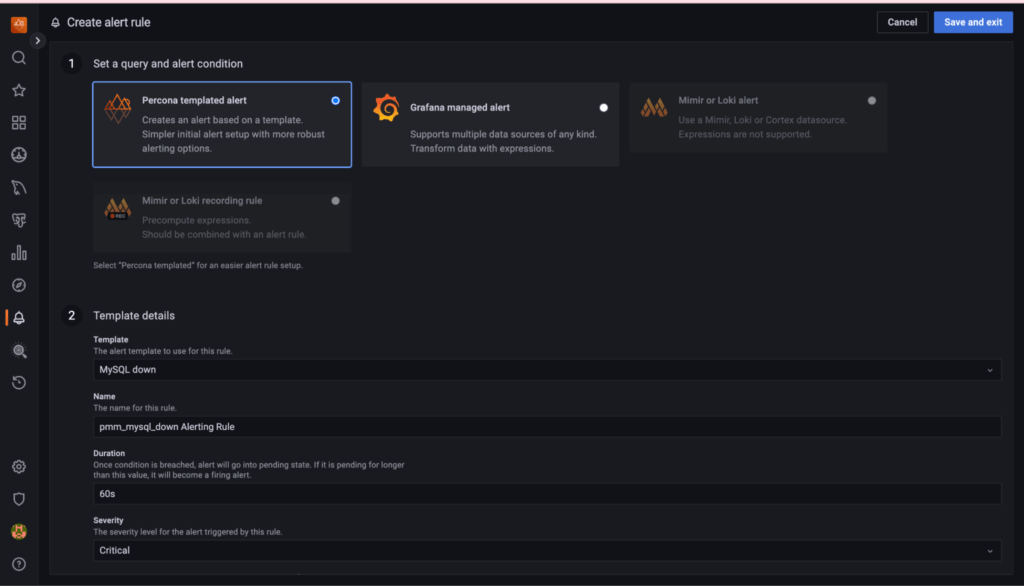
https://docs.percona.com/percona-monitoring-and-management/2/get-started/alerting.html
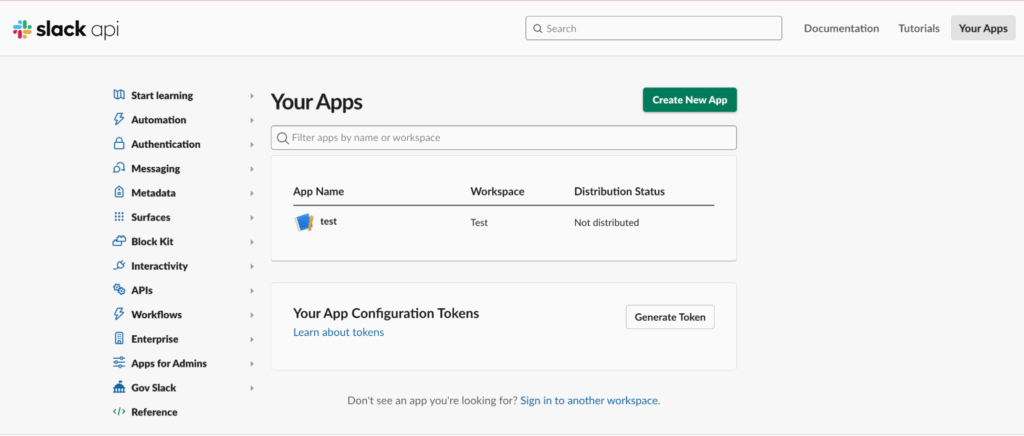
1) Go to the Slack API website – https://api.slack.com/apps
2) Then, click on “Create New App” and follow the prompts to create a new app for your workspace.
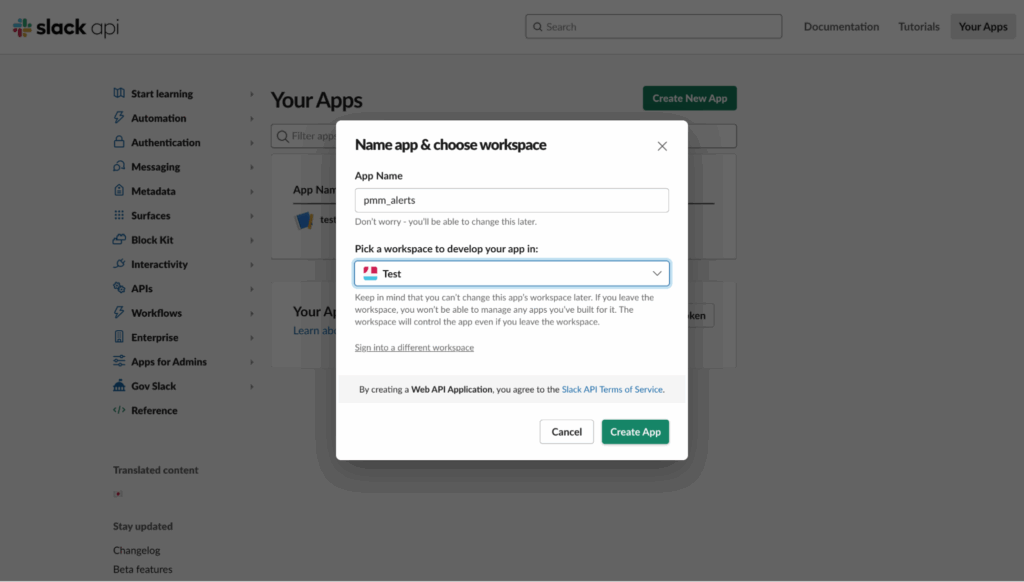
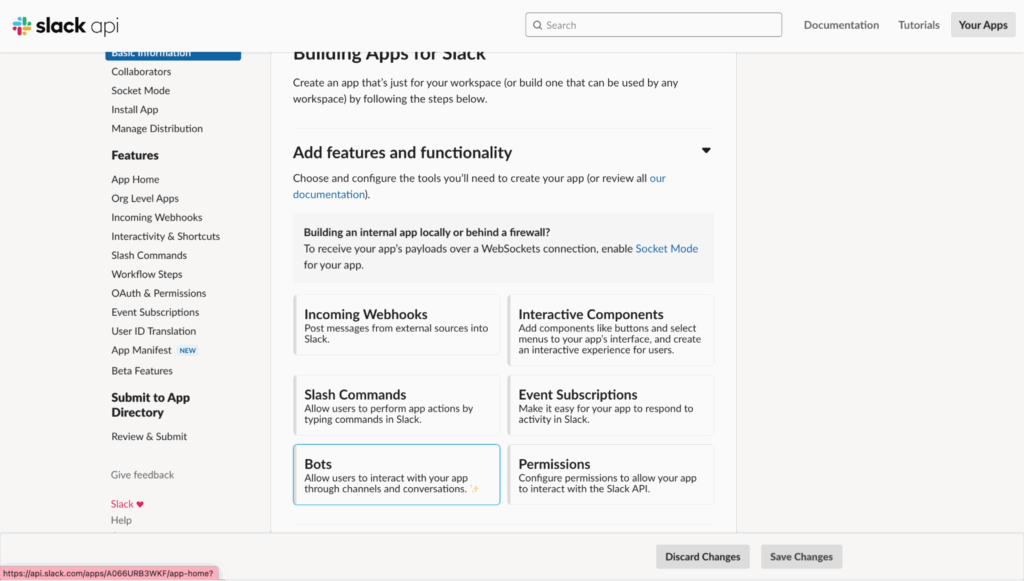
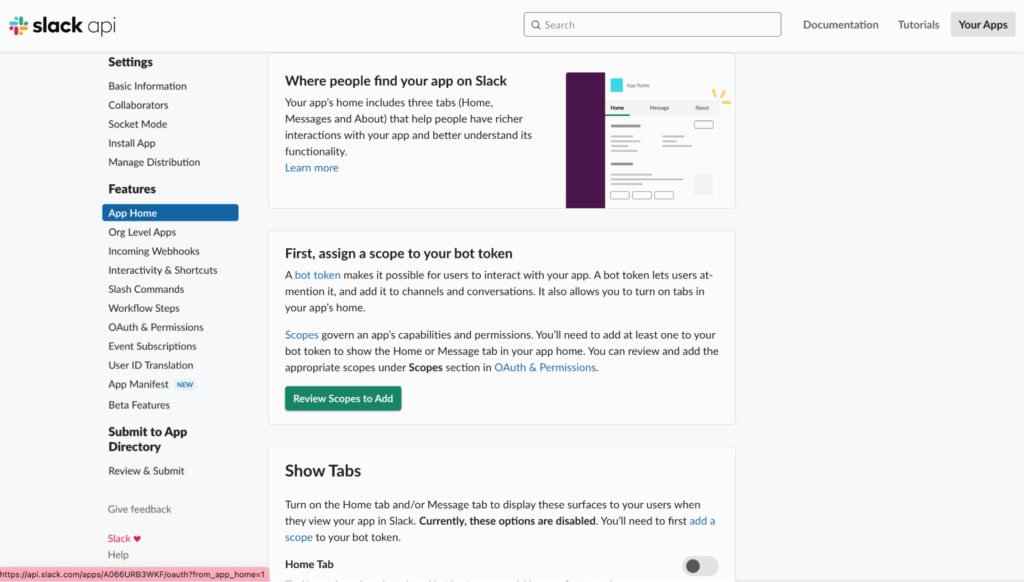
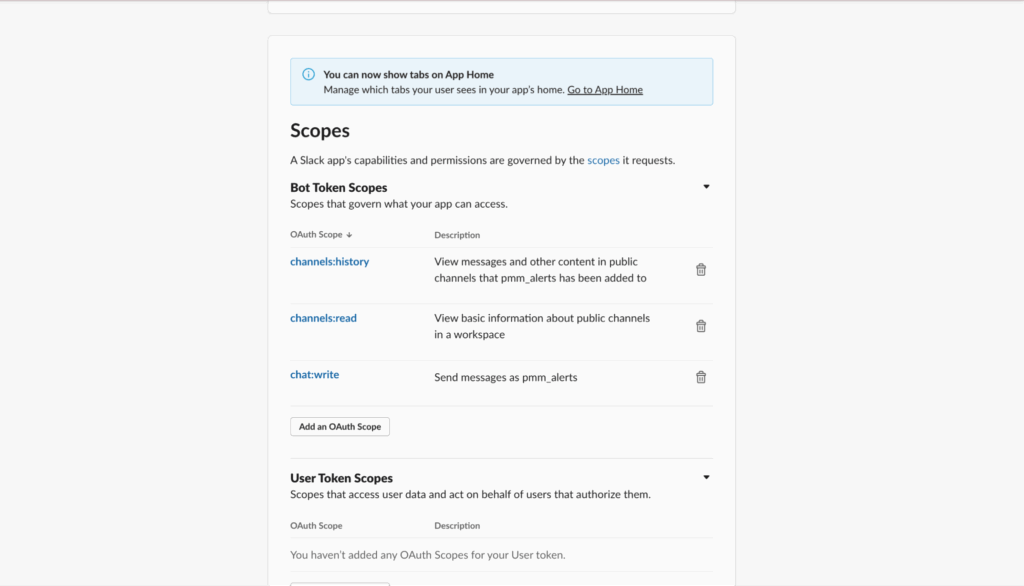
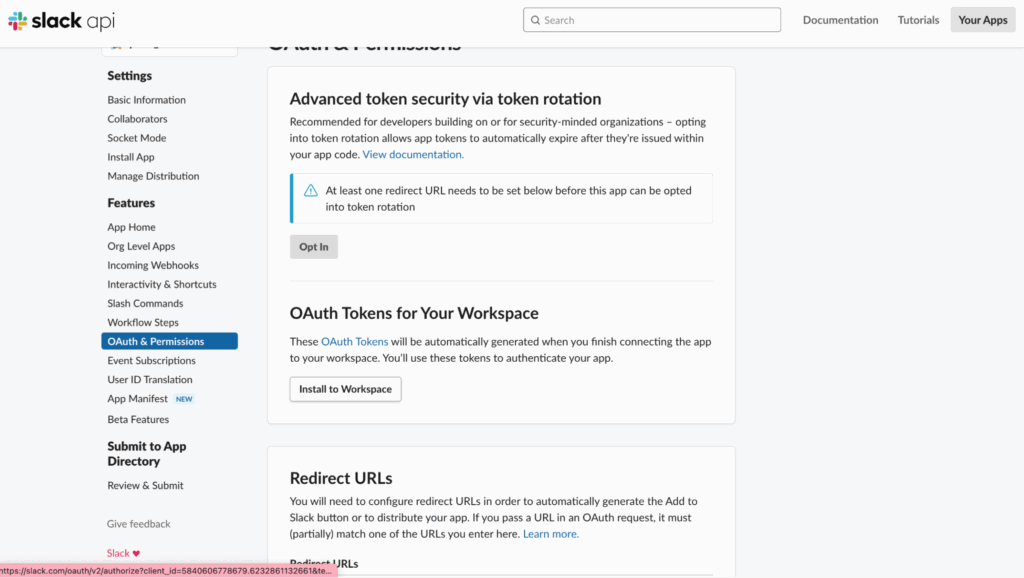
3) Now, you will see the “OAuth Token,” which we will use later in PMM Slack configurations.
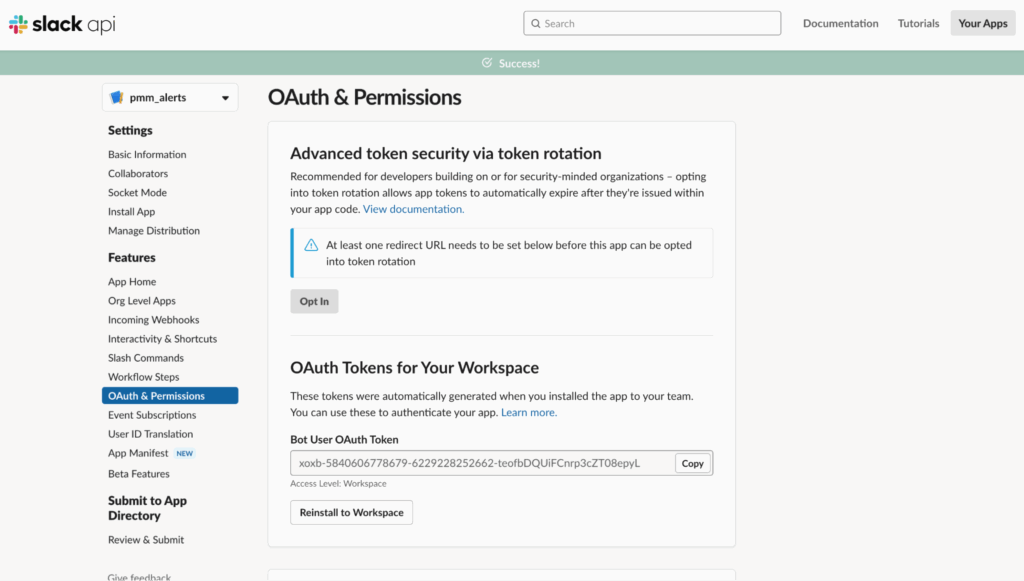
4) Next, we need to add the app “pmm_alerts” to one or more Slack channels in order to get the notifications.
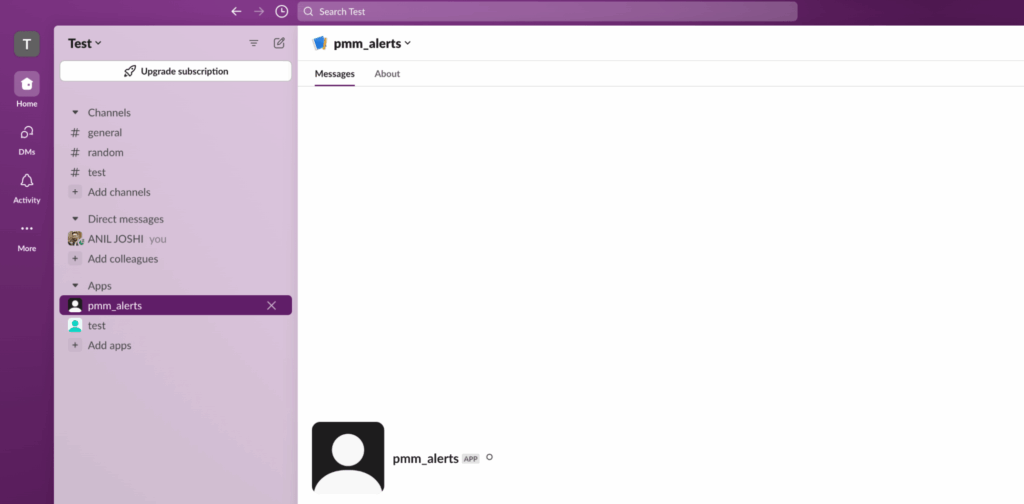
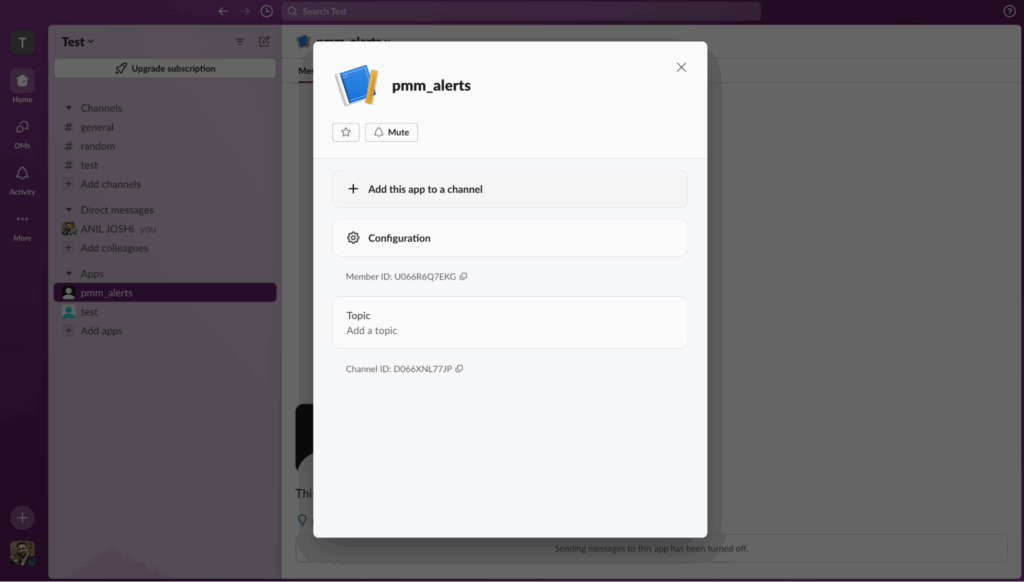
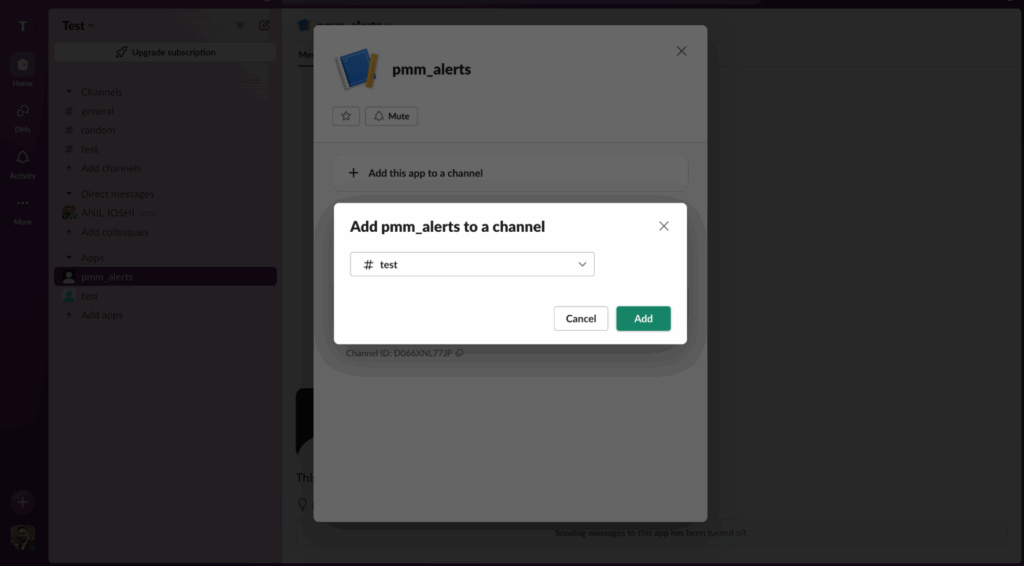
5) Finally, we can add the details below in the PMM -> Alerting -> Contact Points section.
|
1 2 3 |
TOKEN: xoxb-5840606778679-6229228252662-teofbDQUiFCnrp3cZT08epyL ## Bot Api Token Recipient: test ###channel name |
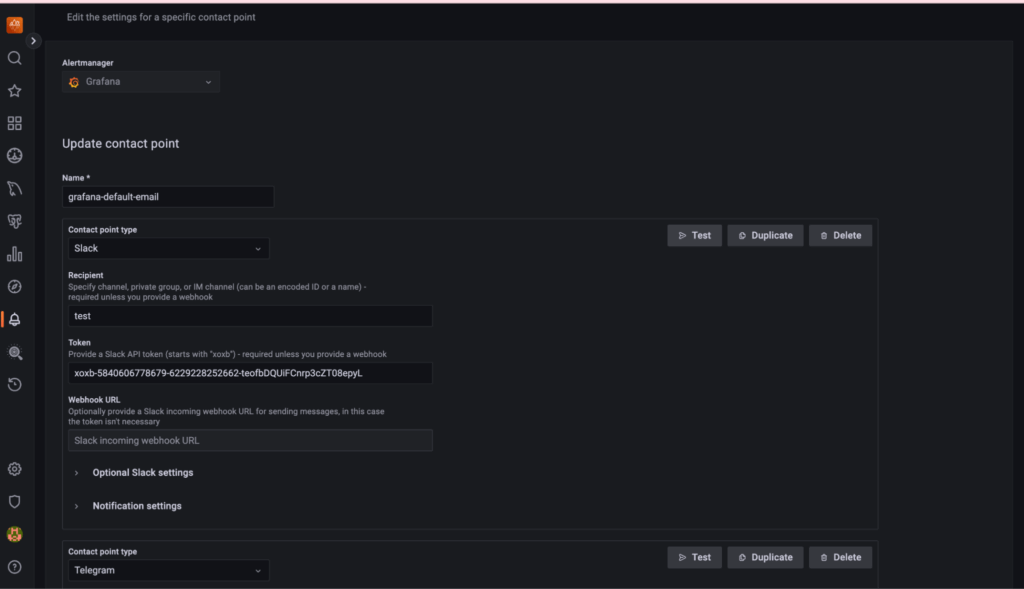
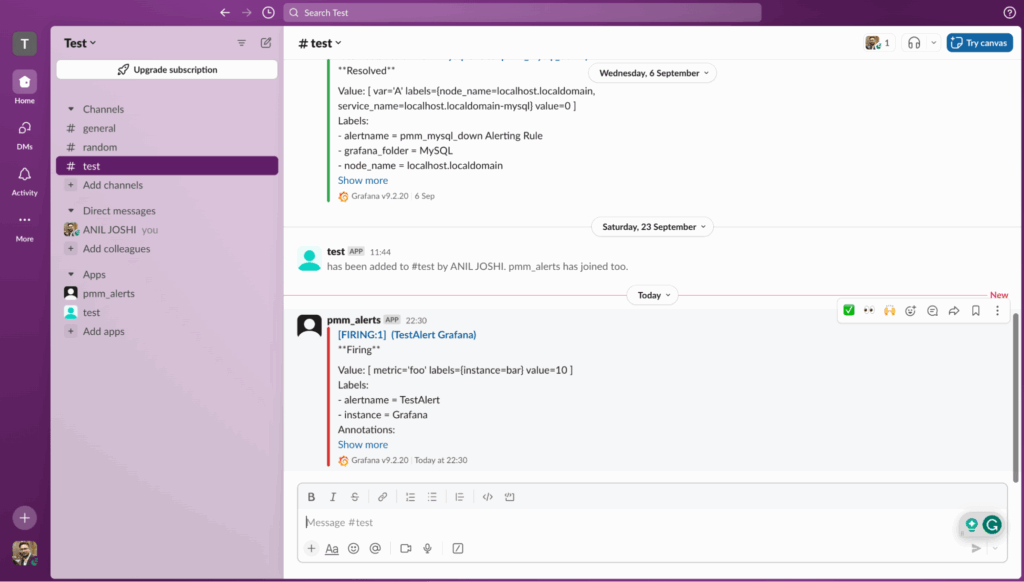
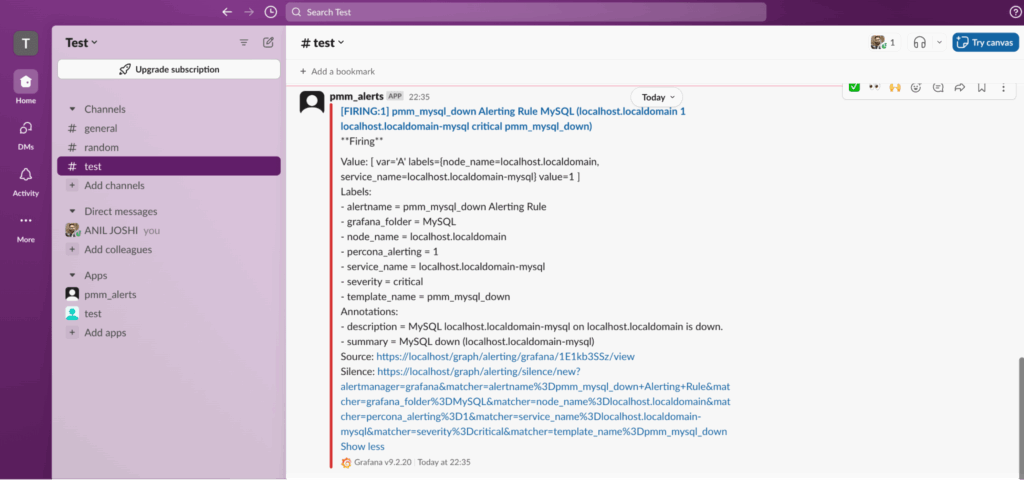
For the Telegram app, we also need the “BOT API Token” and “Chat ID” details to set up alert notifications.
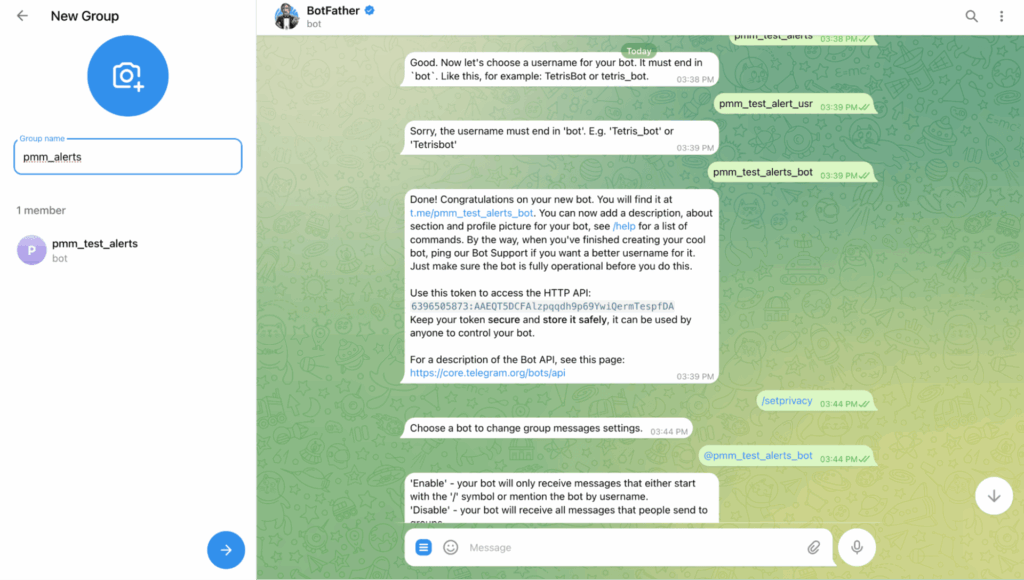
1) Create a new bot in Telegram. Select “@BotFather” in the search tab and send the command “/newbot” in the chat section.
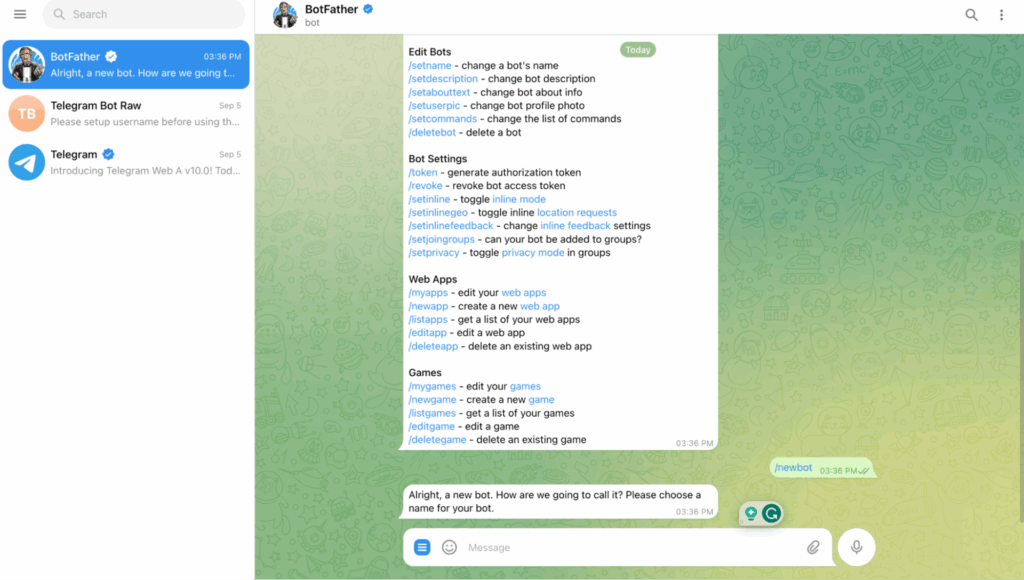
2) Provide a “name” for your bot and then a “username” for the bot. The username needs to end in “bot”.
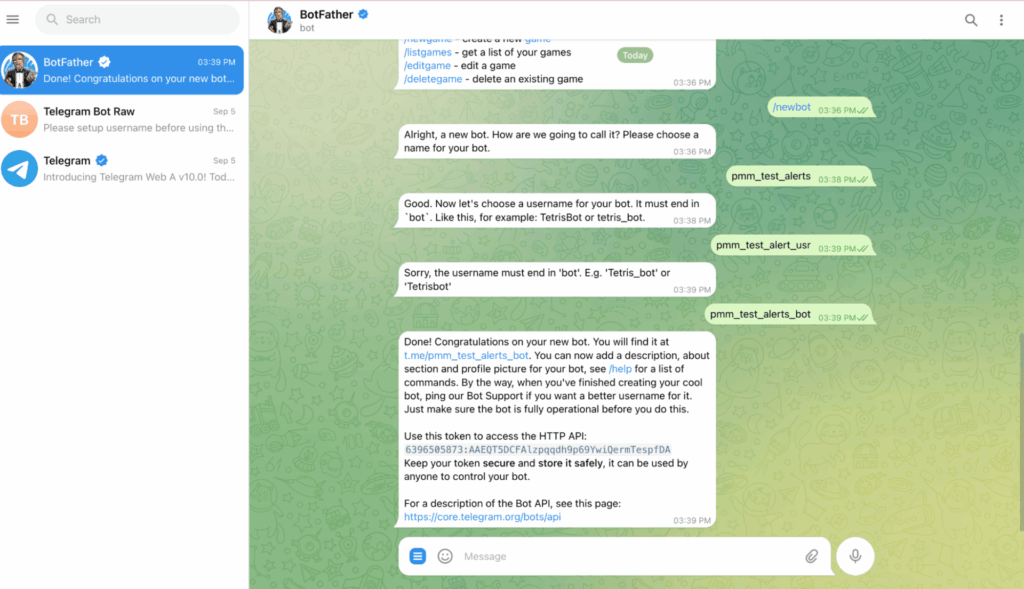
Here, we have received the BOT API Token :- 6396505873:AAEQT5DCFAlzpqqdh9p69YwiQermTespfDA
3) Now, we need to change the “group privacy policy” in order to allow the bot to read messages sent to any group it is a member of.
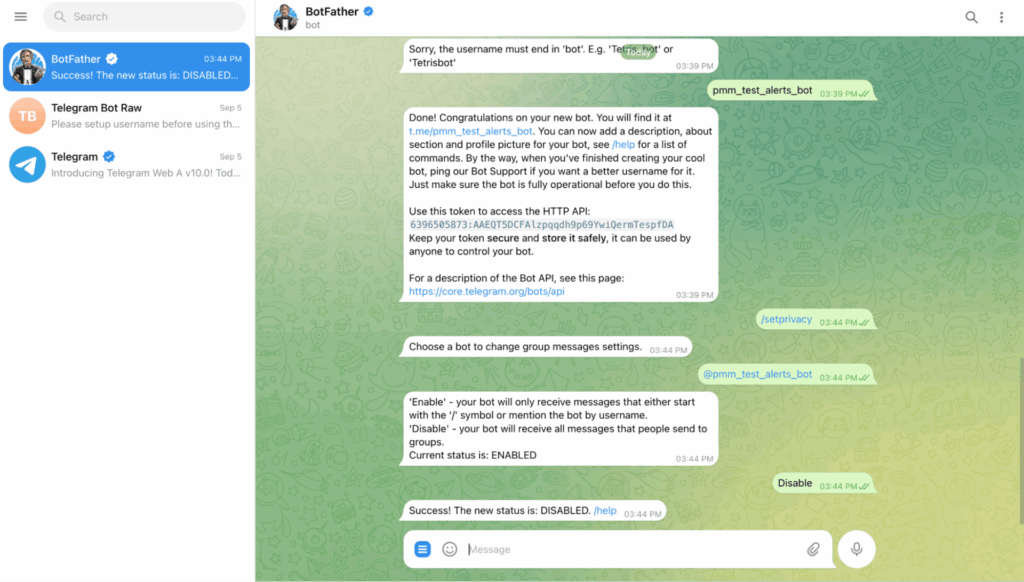
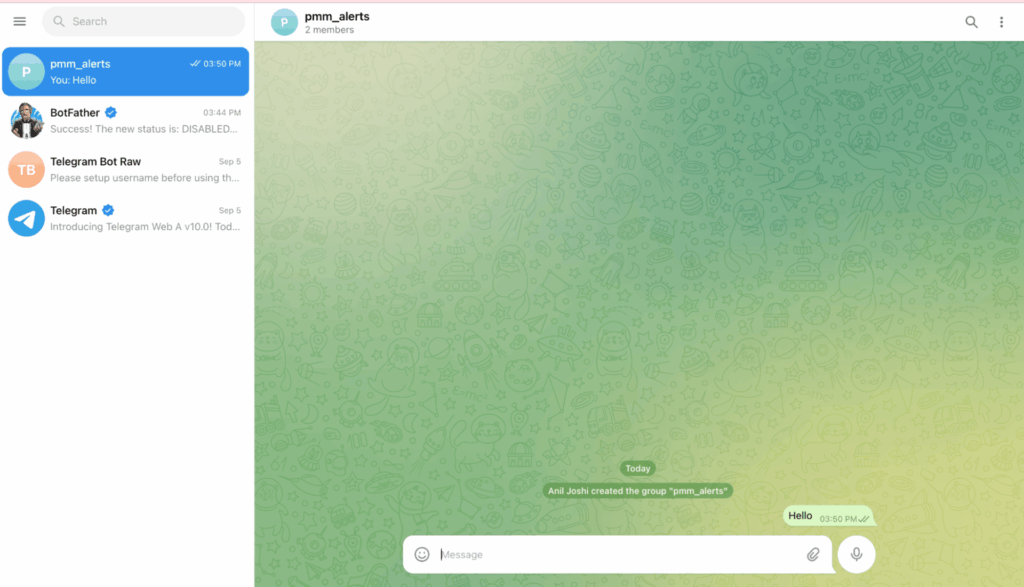
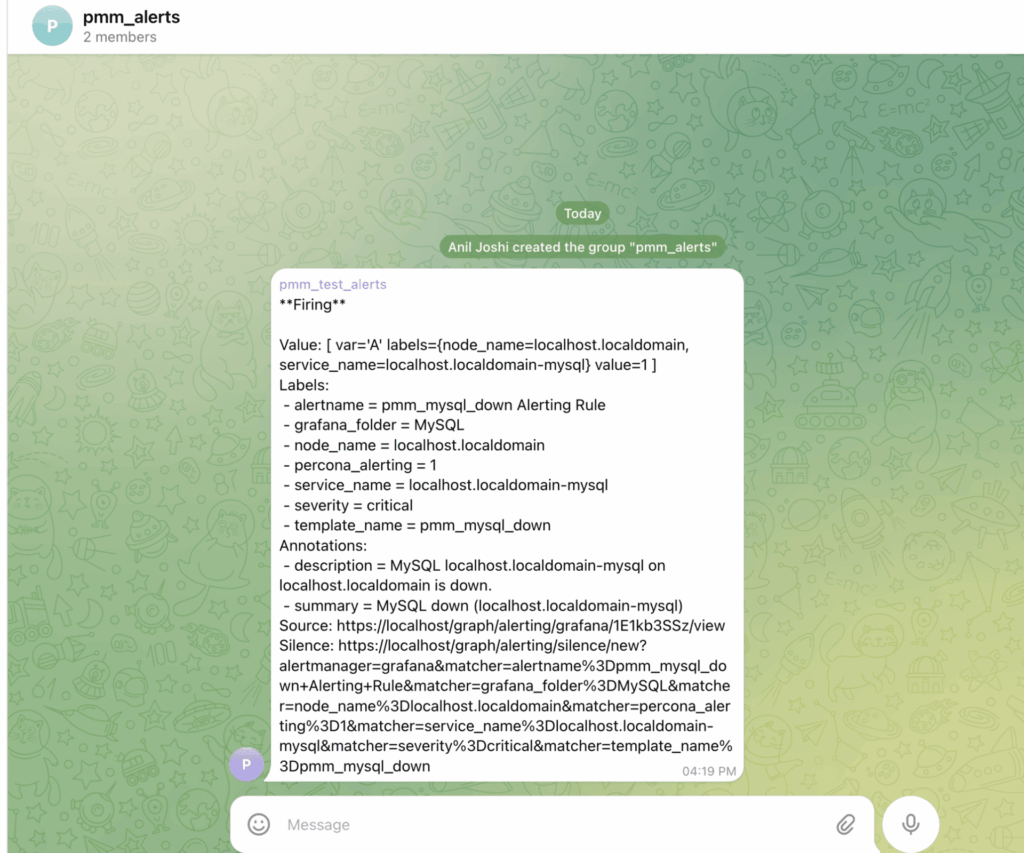
4) After disabling group privacy, create a group “pmm_alerts” and add the new bot: “pmm_test_alerts” to that group.
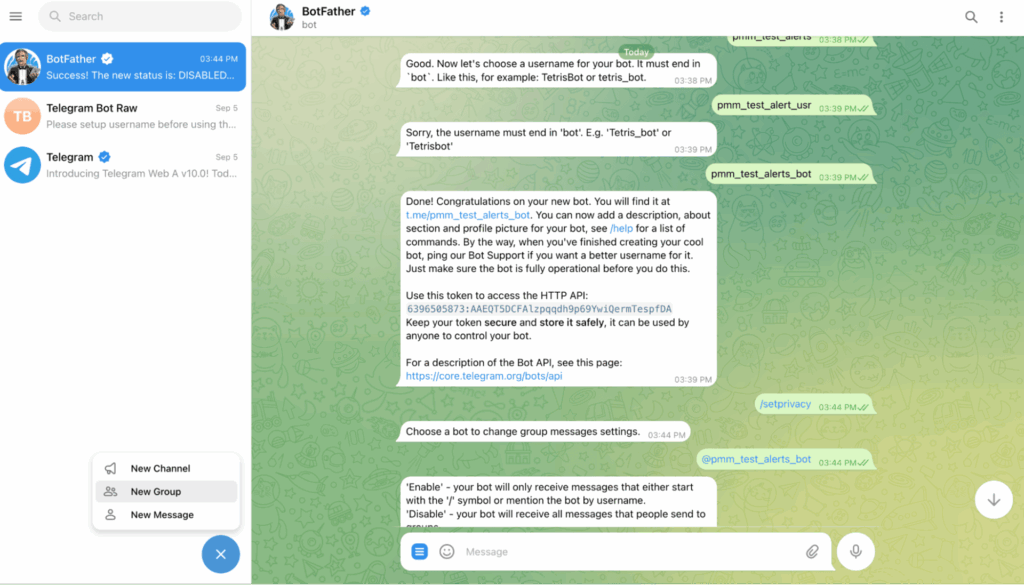
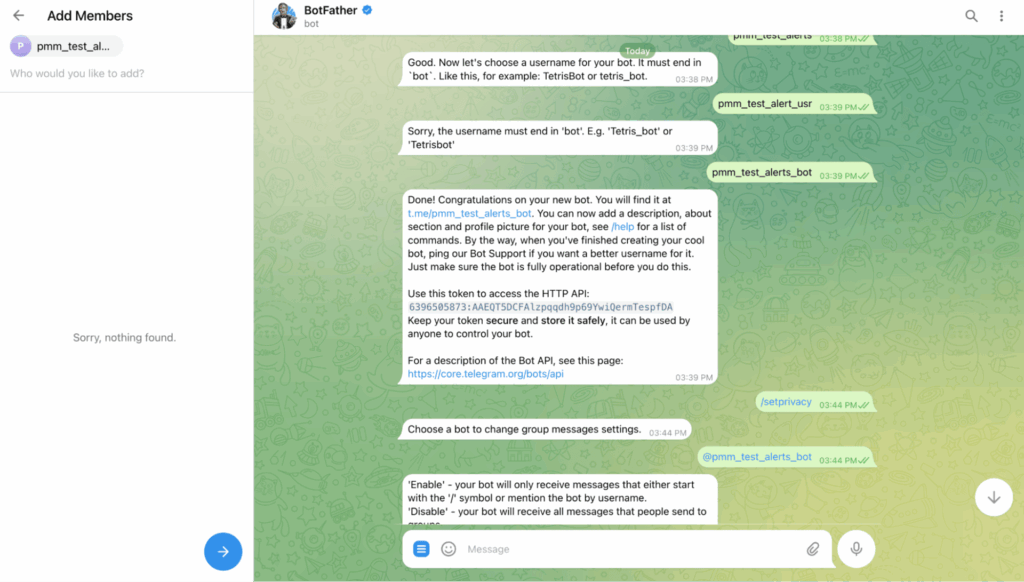
So here, we have successfully created the group. Now, we need to send at least one message in order to activate the group.
5) Next, we need the second input, “Chat ID,” that PMM requires. This can be done using either curl or directly running the URL on the web browser.
Here, we are using the complete token “6396505873:AAEQT5DCFAlzpqqdh9p69YwiQermTespfDA” we got in step 2. In order to use this with the API, we need the prefix “bot” in the string.
|
1 |
curl https://api.telegram.org/bot6396505873:AAEQT5DCFAlzpqqdh9p69YwiQermTespfDA/getUpdates |
|
1 2 |
{"ok":true,"result":[{"update_id":815074387, "message":{"message_id":3,"from":{"id":6452928862,"is_bot":false,"first_name":"Anil","last_name":"Joshi"},"chat":{"id":-4013864418,"title":"pmm_alerts","type":"group","all_members_are_administrators":true},"date":1700735471,"text":"hi"}}]} |
So finally, we got the CHAT ID “-4013864418″ as well.
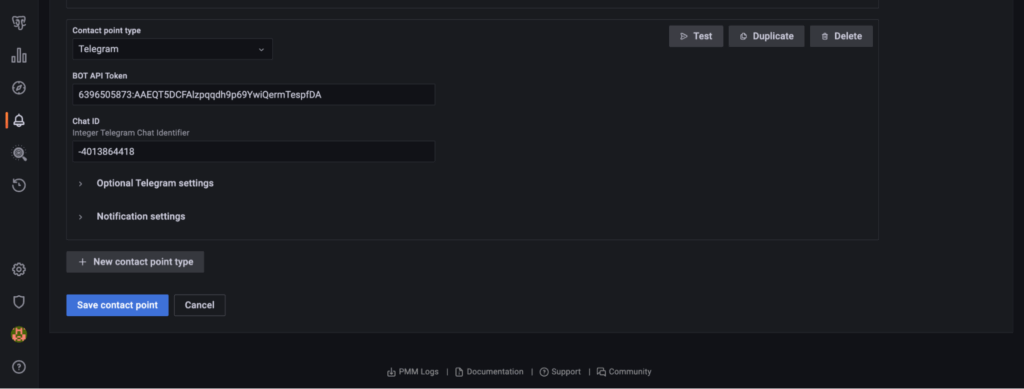
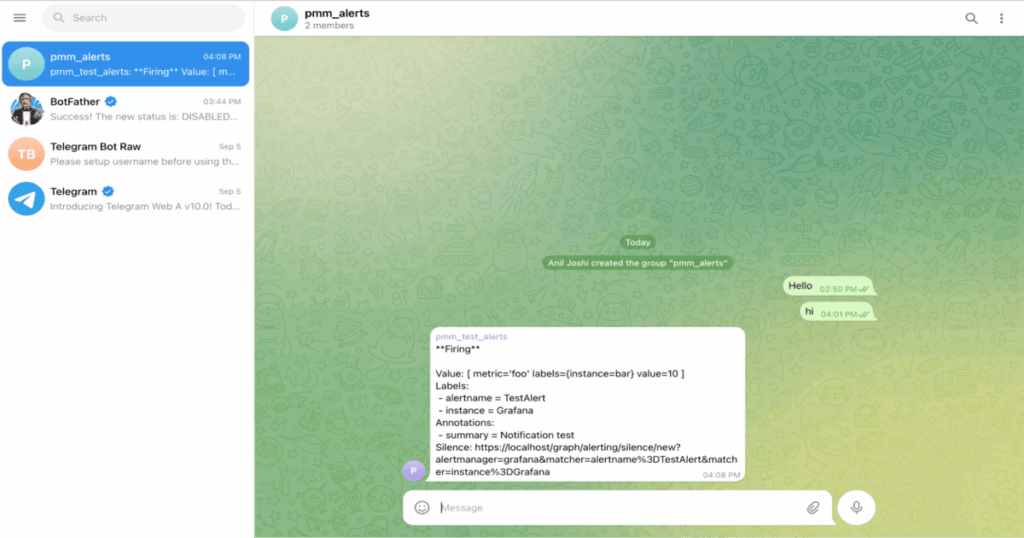
6) Now it’s time to use the above details in the PMM -> Alerting -> Contact Points section.
|
1 2 |
BOT API TOKEN: 6396505873:AAEQT5DCFAlzpqqdh9p69YwiQermTespfDA CHAT ID: -4013864418 |
Webhooks are a powerful tool for building integrations between different applications or services, enabling them to work together seamlessly. They are widely used in web development, APIs, and cloud services to create more dynamic and responsive systems.
URL/API:
|
1 |
https://xxx.mn/v1/main/update/status |
In simple terms, it’s just an API that can be created in any programming language (PHP, Java, Node Js, etc.) to send and get the response and integrate that with any 3rd party applications.
Here, we are simply integrating the URL with the PMM in order to get the response.
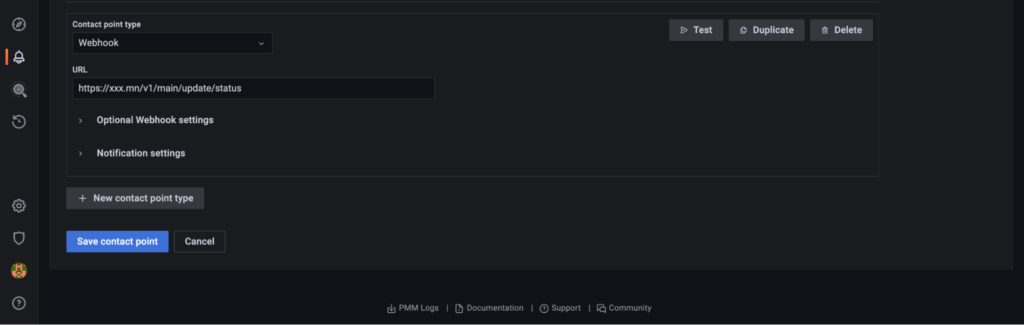
|
1 |
{"Info":"{"receiver":"grafana-default-email","status":"firing","alerts":[{"status":"firing","labels":{"alertname":"pmm_mysql_down Alerting Rule","grafana_folder":"MySQL","node_name":"localhost.localdomain","percona_alerting":"1","service_name":"localhost.localdomain-mysql","severity":"critical","template_name":"pmm_mysql_down"},"annotations":{"description":"MySQL localhost.localdomain-mysql on localhost.localdomain is down.","summary":"MySQL down (localhost.localdomain-mysql)"},"startsAt":"2023-11-24T03:45:10Z","endsAt":"0001-01-01T00:00:00Z","generatorURL":"https://localhost/graph/alerting/grafana/1E1kb3SSz/view","fingerprint":"3be1993cc9a48420","silenceURL":"https://localhost/graph/alerting/silence/new?alertmanager=grafana&matcher=alertname%3Dpmm_mysql_down+Alerting+Rule&matcher=grafana_folder%3DMySQL&matcher=node_name%3Dlocalhost.localdomain&matcher=percona_alerting%3D1&matcher=service_name%3Dlocalhost.localdomain-mysql&matcher=severity%3Dcritical&matcher=template_name%3Dpmm_mysql_down","dashboardURL":null,"panelURL":null,"valueString":"[ var='A' labels={node_name=localhost.localdomain, service_name=localhost.localdomain-mysql} value=1 ]"}],"groupLabels":{"alertname":"pmm_mysql_down Alerting Rule","grafana_folder":"MySQL"},"commonLabels":{"alertname":"pmm_mysql_down Alerting Rule","grafana_folder":"MySQL","node_name":"localhost.localdomain","percona_alerting":"1","service_name":"localhost.localdomain-mysql","severity":"critical","template_name":"pmm_mysql_down"},"commonAnnotations":{"description":"MySQL localhost.localdomain-mysql on localhost.localdomain is down.","summary":"MySQL down (localhost.localdomain-mysql)"},"externalURL":"https://localhost/graph/","version":"1","groupKey":"{}:{alertname="pmm_mysql_down Alerting Rule", grafana_folder="MySQL"}","truncatedAlerts":0,"orgId":1,"title":"[FIRING:1] pmm_mysql_down Alerting Rule MySQL (localhost.localdomain 1 localhost.localdomain-mysql critical pmm_mysql_down)","state":"alerting","message":"**Firing**nnValue: [ var='A' labels={node_name=localhost.localdomain, service_name=localhost.localdomain-mysql} value=1 ]nLabels:n - alertname = pmm_mysql_down Alerting Rulen - grafana_folder = MySQLn - node_name = localhost.localdomainn - percona_alerting = 1n - service_name = localhost.localdomain-mysqln - severity = criticaln - template_name = pmm_mysql_downnAnnotations:n - description = MySQL localhost.localdomain-mysql on localhost.localdomain is down.n - summary = MySQL down (localhost.localdomain-mysql)nSource: https://localhost/graph/alerting/grafana/1E1kb3SSz/viewnSilence: https://localhost/graph/alerting/silence/new?alertmanager=grafana&matcher=alertname%3Dpmm_mysql_down+Alerting+Rule&matcher=grafana_folder%3DMySQL&matcher=node_name%3Dlocalhost.localdomain&matcher=percona_alerting%3D1&matcher=service_name%3Dlocalhost.localdomain-mysql&matcher=severity%3Dcritical&matcher=template_name%3Dpmm_mysql_downn"}"} [ |
The above response can be generated via directly submitting the URL or by using tools like Postman or cURL, which are widely used to interact with the HTTP-based APIs.
|
1 |
curl -X POST -d /tmp/file.json -H "Content-Type: application/json" https://xxx.mn/v1/main/update/status |
There are a few use cases where webhook would be useful:
Percona Monitoring and Management is a best-of-breed open source database monitoring solution. It helps you reduce complexity, optimize performance, and improve the security of your business-critical database environments, no matter where they are located or deployed.
Download Percona Monitoring and Management Today
Resources
RELATED POSTS




