

 Percona Monitoring and Management (PMM) is a free and open-source platform for managing and monitoring MySQL® and MongoDB® performance. You can run PMM in your own environment for maximum security and reliability. It provides thorough time-based analysis for MySQL® and MongoDB® servers to ensure that your data works as efficiently as possible.
In PMM Release 1.11.0, we deliver the following changes:
The issues in the release includes 1 new features & improvements, and 9 bugs fixed.
We spent some time this release going over how we handle MySQL’s Slow Log rotation logic. Query Analytics requires that slow logging be enabled (either to file, or to PERFORMANCE_SCHEMA) and we found that users of Percona Server for MySQL overwhelmingly choose logging to a file in order to take advantage of log_slow_verbosity which provides enhanced InnoDB Usage information. However, the challenge with MySQL’s Slow Log is that it is very verbose and thus the number one concern is disk space. PMM strives to do no harm and so MySQL Slow Log Rotation was a natural fit, but until this release we were very strict and hadn’t enabled any configuration of these parameters.
Percona Server for MySQL Users have long known about Slow Query Log Rotation and Expiration, but until now had no way of using the in-built Percona Server for MySQL feature while ensuring that PMM wasn’t missing any queries from the Slow Log during file rotation. Or perhaps your use case is that you want to do Slow Log Rotation using logrotate or some other facility. Today with Release 1.11 this is now possible!
We’ve made two significant changes:
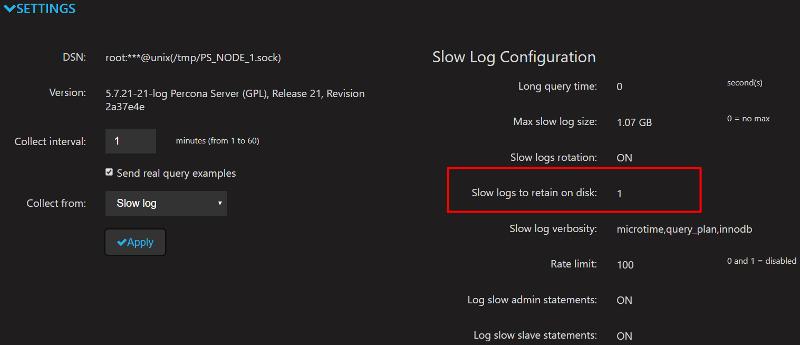
Number of Slow Logs Retained on Disk
Slow Logs Rotation – On or Off
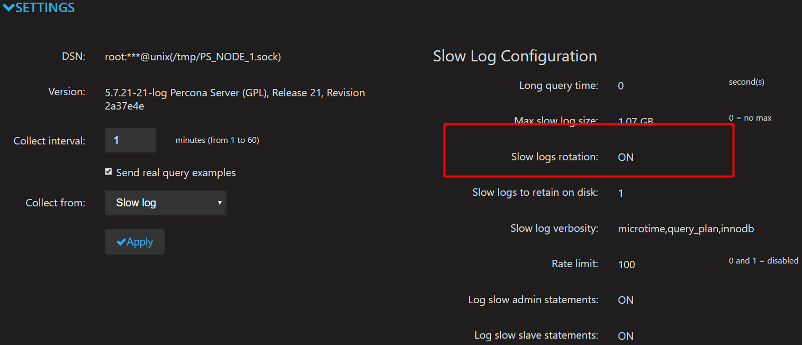
You specify each of these two new controls when setting up the MySQL service. The following example specifies that 5 Slow Log files should remain on disk:
|
1 |
pmm-admin add mysql ... --retain-slow-logs=5 |
While the following example specifies that Slow Log rotation is to be disabled (flag value of false), with the assumption that you will perform your own Slow Log Rotation:
|
1 |
pmm-admin add mysql ... --slow-log-rotation=false |
We don’t currently support modifying option parameters for an existing service definition. This means you must remove, then re-add the service and include the new options.
We’re including a logrotate script in this post to get you started, and it is designed to keep 30 copies of Slow Logs at 1GB each. Note that you’ll need to update the Slow Log location, and ensure a MySQL User Account with SUPER, RELOAD are used for this script to successfully execute.
|
1 2 3 4 5 6 7 8 9 10 11 12 13 |
/var/mysql/mysql-slow.log { nocompress create 660 mysql mysql size 1G dateext missingok notifempty sharedscripts postrotate /bin/mysql -e 'SELECT @@global.long_query_time INTO @LQT_SAVE; SET GLOBAL long_query_time=2000; SELECT SLEEP(2); FLUSH SLOW LOGS; SELECT SLEEP(2); SET GLOBAL long_query_time=@LQT_SAVE;' endscript rotate 30 } |
We’ve updated the logic on four dashboards to better handle predictability and also to allow zooming to look at shorter time ranges. For example, refreshing PXC/Galera graphs prior to 1.11 led to graphs spiking at different points during the metric series. We’ve reviewed each of these graphs and their corresponding queries and added in <aggregation>_over_time() functions so that graphs display a consistent view of the metric series. This improves your ability to drill in on the dashboards so that no matter how short your time range, you will still observe the same spikes and troughs in your metric series. The four dashboards affected by this improvement are:
In earlier releases, the MySQL Exporter expected only key=value type flags. It would ignore options without values (i.e. disable-auto-rehash), and could sometimes read the wrong section of the my.cnf file. We’ve updated the parsing engine to be more MySQL compatible.
Annotations permit the display of an event on all dashboards in PMM. Users reported that passing more than one string to pmm-admin annotate would generate an error, so we updated the parsing logic to assume all strings passed during annotation creation generates a single annotation event. Previously you needed to enclose your strings in quotes so that it would be parsed as a single string.
PMM is available for installation using three methods:
docker pull percona/pmm-server – DocumentationHelp us improve our software quality by reporting any bugs you encounter using our bug tracking system.
Resources
RELATED POSTS




