

There are many reasons for wanting a small MySQL database server:
So, how about if you could setup a small Arch Linux ARMv6-based hardware device which runs Percona Server for MySQL, in a space not much bigger than your mouse, with the power consumption of only a smartphone charger, fully networked, all for under $80?
Introducing the Raspberry Pi with Percona Server:
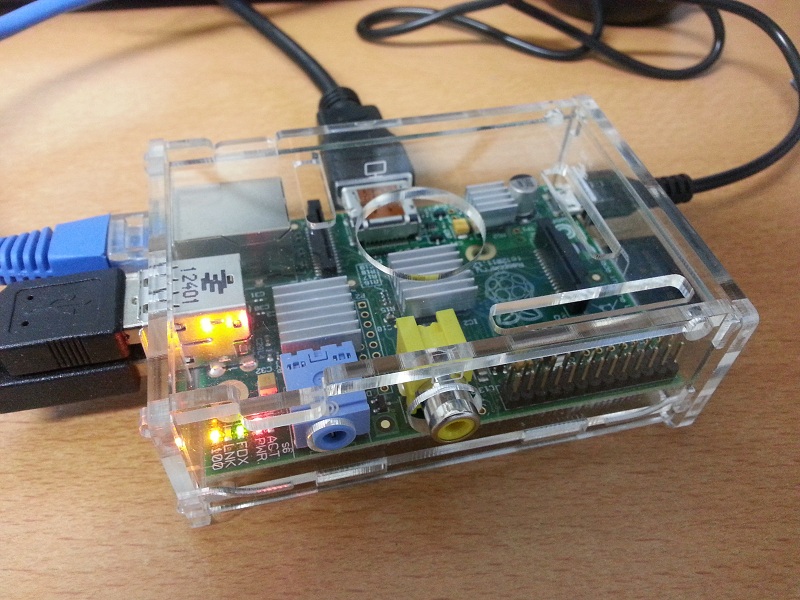
A small disclaimer first: Arch Linux is not currently on our list of supported OS’es (i.e. we do not promise to provide binaries, even though they are available from the Arch Linux AUR repository), however if you do happen to run into issues, our support service engineers are happy to provide help.
To get started, here is what you need (prices in AU$):
Total cost: ~76.5 AU$ (= ~79 US$).
Optionally, if your screen has a DVI port, you can get a HDMI Cable + DVI (male)-to-HDMI (female) connector (~$12). This enables you to connect the Raspberry Pi to your screen, and so follow what is happening on the console of the Raspberry Pi. Make sure to get the proper DVI connector for your screen as many connectors that are sold have a wrong pin layout (most standard computer screens use a DVI-D connector, not a DVI-I one).
Alternatively, if you really do end up needing to view the console of your Raspberry Pi (for example to configure an IP address in Arch Linux if you do not have a DHCP server), you can simply hook the Raspberry Pi to your TV set using the Composite RCA (PAL & NTSC) connector.
Once you have your hardware, here is how to get Percona Server for MySQL up and running:
|
1 2 3 4 |
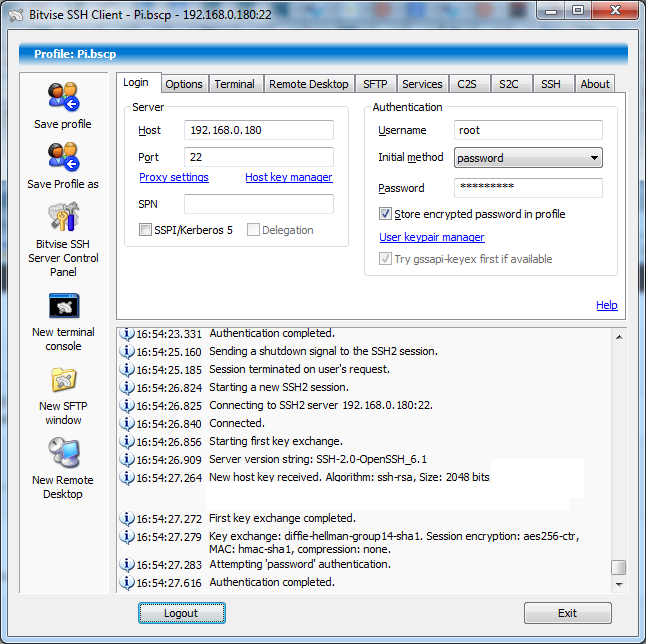
$ ssh [email protected] [email protected]'s password: Last login: Fri Feb 22 23:27:49 2013 from percona.<...> [root@alarmpi ~]# |
|
1 2 3 4 |
[root@alarmpi ~]# passwd Enter new UNIX password: Retype new UNIX password: passwd: password updated successfully |
|
1 2 3 4 5 6 7 8 9 10 11 12 13 14 15 16 17 18 19 20 21 22 23 24 25 26 27 28 29 |
[root@alarmpi ~]# pacman -S percona-server resolving dependencies... looking for inter-conflicts... Targets (4): libaio-0.3.109-6 libmysqlclient-5.5.30-1 mysql-clients-5.5.30-1 percona-server-5.5.29_rel29.4-1 Total Download Size: 8.07 MiB Total Installed Size: 96.00 MiB Proceed with installation? [Y/n] y :: Retrieving packages from extra... libmysqlclient-5.5.30-1-armv6h 3.2 MiB 435K/s 00:08 [########################################################] 100% mysql-clients-5.5.30-1-armv6h 736.6 KiB 395K/s 00:02 [########################################################] 100% :: Retrieving packages from community... libaio-0.3.109-6-armv6h 4.6 KiB 1089K/s 00:00 [########################################################] 100% percona-server-5.5.29_rel29.4-1-armv6h 4.1 MiB 323K/s 00:13 [########################################################] 100% (4/4) checking package integrity [########################################################] 100% (4/4) loading package files [########################################################] 100% (4/4) checking for file conflicts [########################################################] 100% (4/4) checking available disk space [########################################################] 100% (1/4) installing libmysqlclient [########################################################] 100% (2/4) installing mysql-clients [########################################################] 100% (3/4) installing libaio [########################################################] 100% (4/4) installing percona-server [########################################################] 100% Installing MySQL system tables... OK Filling help tables... OK [...more setup information, please read...] |
|
1 2 |
[root@alarmpi ~]# systemctl enable mysqld ln -s '/usr/lib/systemd/system/mysqld.service' '/etc/systemd/system/multi-user.target.wants/mysqld.service' |
|
1 |
[root@alarmpi ~]# systemctl start mysqld |
|
1 2 3 4 5 6 7 8 9 10 11 12 13 |
[root@alarmpi ~]# /usr/bin/mysql Welcome to the MySQL monitor. Commands end with ; or g. [...] mysql> SHOW ENGINES; +--------------------+---------+----------------------------------------------------------------------------+--------------+------+------------+ | Engine | Support | Comment | Transactions | XA | Savepoints | +--------------------+---------+----------------------------------------------------------------------------+--------------+------+------------+ | InnoDB | DEFAULT | Percona-XtraDB, Supports transactions, row-level locking, and foreign keys | YES | YES | YES | [...] mysql> SELECT "Hello World!" AS "Success!" G *************************** 1. row *************************** Success!: Hello World! 1 row in set (0.00 sec) |
Now that was easy wasn’t it?
A few other points:
Enjoy!
Resources
RELATED POSTS




But what about IOPS and QPS? 😉
*To check if mysqld is running, use “pgrep mysqld” at the Linux command line
Very cool setup, but why go through all that work when you can use a VirtualBox instance locally?
At least for the Raspbian distribution the installation might fail as there is not enough disk space by default.
http://databaseblog.myname.nl/2013/01/how-to-install-mysql-succesfully-on.html
‘@Morten: real sysbench run planned, but as a sneak preview,
[root@alarmpi ~]# hdparm -tT /dev/mmcblk0p1/dev/mmcblk0p1:
Timing cached reads: 328 MB in 2.00 seconds = 163.89 MB/sec
Timing buffered disk reads: 56 MB in 3.01 seconds = 18.63 MB/sec
mysql> SELECT BENCHMARK(10000000,ENCODE('hello','goodbye'));+-----------------------------------------------+
| BENCHMARK(10000000,ENCODE('hello','goodbye')) |
+-----------------------------------------------+
| 0 |
+-----------------------------------------------+
1 row in set (21.09 sec)
(These numbers are consistent across multiple runs.)
Vadim will have some interesting numbers from a Nexus 7 (yes, really!) coming up soon.
@Henk: nice, thanks
@Marc: VirtualBox is nice indeed. However, it also means having to leave your machine on all the time you want to use it.
@Daniel Nichter: thanks!
For those interested in getting setup, here is what I got from eBay (these numbers may become outdated after a while): 320972086997 [PortaPow 2Amp supply with Micro USB to USB lead] | 190779674094 [Sandisk 8Gb Ultra] | 121014309583 [Transparent case + 3 heat sinks]. Optional: 121056198784 [Wifi USB network dongle]. Disclosure: info provided in this comment is as-is. I have no affiliation with these sellers except that I am a satisfied customer 🙂
Great post! I would love to get one of those things. Did you guys know your logo looks just like beats by dr. dre?
when i try and get the packages eg pacman -S percona-server i get error mainly 404 not found. Is there a problem with the repositrys?
‘@Martin: Tried this morning and “pacman -S percona-server” worked fine (“Targets (1): percona-server-5.5.29_rel29.4-1”). If you still run into issues, have a look at https://wiki.archlinux.org/index.php/Mirrors#Enabling_a_specific_mirror – i.e. edit your /etc/pacman.d/mirrorlist etc.
‘@Martin your local database is probably out-of-sync with what packages are available. pacman -Syu will update your system and probably take a long time. 😐