

 MySQL Shell is a pretty nice piece of software. Is not just another mysql client but it is also a tool that offers scripting capabilities for JavaScript and Python. And one of the coolest things you can do with it is to check if your MySQL 5.7 server is ready for an upgrade or not. Enter: Upgrade Checker Utility.
So what is it? It is a script that will check your MySQL 5.7 instance for compatibility errors and issues with upgrading. It’s important to notice the word “check”. It doesn’t fix. Just check. Fix is on you, friendly DBA (or we can happily assist with it).
But isn’t there something that already does that? Close, but no. The mysqlchk program and the –check-upgrade parameter does something similar: Invokes the CHECK TABLE …. FOR UPGRADE command. The Upgrade Checker goes beyond that. There are also instructions to perform the same checks independently, available here: https://dev.mysql.com/doc/refman/8.0/en/upgrade-prerequisites.html
Now, how can I use it? First of all, you’ll have to install the MySQL Shell package:
|
1 2 3 4 5 6 7 8 9 10 |
yum install -y mysql-shell.x86_64 …. …. Transaction test succeeded Running transaction Installing : mysql-shell-8.0.17-1.el7.x86_64 1/1 Verifying : mysql-shell-8.0.17-1.el7.x86_64 1/1 Installed: mysql-shell.x86_64 0:8.0.17-1.el7 |
Now you are ready to perform the check. Is a simple as executing this one-liner:
mysqlsh root@localhost -e “util.checkForServerUpgrade();”
|
1 2 3 4 5 6 7 8 9 10 11 12 13 14 15 16 17 18 19 20 21 22 23 24 25 26 27 28 29 30 31 32 33 34 35 36 37 38 39 40 41 42 43 44 45 46 47 48 49 50 51 52 53 54 55 56 57 58 59 60 61 62 63 64 65 66 67 68 69 70 71 72 73 74 75 76 77 78 79 80 81 82 83 84 85 86 87 88 89 90 91 |
[root@mysql2 ~]# mysqlsh root@localhost -e "util.checkForServerUpgrade();" The MySQL server at /var%2Flib%2Fmysql%2Fmysql.sock, version 5.7.27-log - MySQL Community Server (GPL), will now be checked for compatibility issues for upgrade to MySQL 8.0.17... 1) Usage of old temporal type No issues found 2) Usage of db objects with names conflicting with reserved keywords in 8.0 No issues found 3) Usage of utf8mb3 charset No issues found 4) Table names in the mysql schema conflicting with new tables in 8.0 No issues found 5) Partitioned tables using engines with non native partitioning No issues found 6) Foreign key constraint names longer than 64 characters No issues found 7) Usage of obsolete MAXDB sql_mode flag No issues found 8) Usage of obsolete sql_mode flags No issues found 9) ENUM/SET column definitions containing elements longer than 255 characters No issues found 10) Usage of partitioned tables in shared tablespaces No issues found 11) Circular directory references in tablespace data file paths No issues found 12) Usage of removed functions No issues found 13) Usage of removed GROUP BY ASC/DESC syntax No issues found 14) Removed system variables for error logging to the system log configuration To run this check requires full path to MySQL server configuration file to be specified at 'configPath' key of options dictionary More information: https://dev.mysql.com/doc/relnotes/mysql/8.0/en/news-8-0-13.html#mysqld-8-0-13-logging 15) Removed system variables To run this check requires full path to MySQL server configuration file to be specified at 'configPath' key of options dictionary More information: https://dev.mysql.com/doc/refman/8.0/en/added-deprecated-removed.html#optvars-removed 16) System variables with new default values To run this check requires full path to MySQL server configuration file to be specified at 'configPath' key of options dictionary More information: https://mysqlserverteam.com/new-defaults-in-mysql-8-0/ 17) Schema inconsistencies resulting from file removal or corruption No issues found 18) Issues reported by 'check table x for upgrade' command No issues found 19) New default authentication plugin considerations Warning: The new default authentication plugin 'caching_sha2_password' offers more secure password hashing than previously used 'mysql_native_password' (and consequent improved client connection authentication). However, it also has compatibility implications that may affect existing MySQL installations. If your MySQL installation must serve pre-8.0 clients and you encounter compatibility issues after upgrading, the simplest way to address those issues is to reconfigure the server to revert to the previous default authentication plugin (mysql_native_password). For example, use these lines in the server option file: [mysqld] default_authentication_plugin=mysql_native_password However, the setting should be viewed as temporary, not as a long term or permanent solution, because it causes new accounts created with the setting in effect to forego the improved authentication security. If you are using replication please take time to understand how the authentication plugin changes may impact you. More information: https://dev.mysql.com/doc/refman/8.0/en/upgrading-from-previous-series.html#upgrade-caching-sha2-password-compatibility-issues https://dev.mysql.com/doc/refman/8.0/en/upgrading-from-previous-series.html#upgrade-caching-sha2-password-replication Errors: 0 Warnings: 1 Notices: 0 |
No fatal errors were found that would prevent an upgrade, but some potential issues were detected. Please ensure that the reported issues are not significant before upgrading.
Cool, right?
Some things were missing due to lack of parameter. Let’s pass it.
|
1 |
util.checkForServerUpgrade('root@localhost:3306', {"password":"password", "targetVersion":"8.0.11", "configPath":"/etc/my.cnf"}) |
Now we have 22 warnings instead of one!
|
1 2 3 4 5 6 7 8 9 10 11 12 13 14 15 16 17 18 19 20 21 22 23 24 25 26 27 28 29 30 31 32 33 34 35 36 37 38 |
13) System variables with new default values Warning: Following system variables that are not defined in your configuration file will have new default values. Please review if you rely on their current values and if so define them before performing upgrade. More information: https://mysqlserverteam.com/new-defaults-in-mysql-8-0/ back_log - default value will change character_set_server - default value will change from latin1 to utf8mb4 collation_server - default value will change from latin1_swedish_ci to utf8mb4_0900_ai_ci event_scheduler - default value will change from OFF to ON explicit_defaults_for_timestamp - default value will change from OFF to ON innodb_autoinc_lock_mode - default value will change from 1 (consecutive) to 2 (interleaved) innodb_flush_method - default value will change from NULL to fsync (Unix), unbuffered (Windows) innodb_flush_neighbors - default value will change from 1 (enable) to 0 (disable) innodb_max_dirty_pages_pct - default value will change from 75 (%) 90 (%) innodb_max_dirty_pages_pct_lwm - default value will change from_0 (%) to 10 (%) innodb_undo_log_truncate - default value will change from OFF to ON innodb_undo_tablespaces - default value will change from 0 to 2 log_error_verbosity - default value will change from 3 (Notes) to 2 (Warning) max_allowed_packet - default value will change from 4194304 (4MB) to 67108864 (64MB) max_error_count - default value will change from 64 to 1024 optimizer_trace_max_mem_size - default value will change from 16KB to 1MB performance_schema_consumer_events_transactions_current - default value will change from OFF to ON performance_schema_consumer_events_transactions_history - default value will change from OFF to ON slave_rows_search_algorithms - default value will change from 'INDEX_SCAN, TABLE_SCAN' to 'INDEX_SCAN, HASH_SCAN' table_open_cache - default value will change from 2000 to 4000 transaction_write_set_extraction - default value will change from OFF to XXHASH64 |
There’s some work to do there.
And now the question:
Does it work with Percona Server for MySQL? Yes, it does!
To avoid messing with repos I just got the Shell from the MySQL downloads:
|
1 |
wget https://dev.mysql.com/get/Downloads/MySQL-Shell/mysql-shell-8.0.17-linux-glibc2.12-x86-64bit.tar.gz; tar -xvzf mysql-shell-8.0.17-linux-glibc2.12-x86-64bit.tar.gz; cd mysql-shell-8.0.17-linux-glibc2.12-x86-64bit/bin/;./mysqlsh |
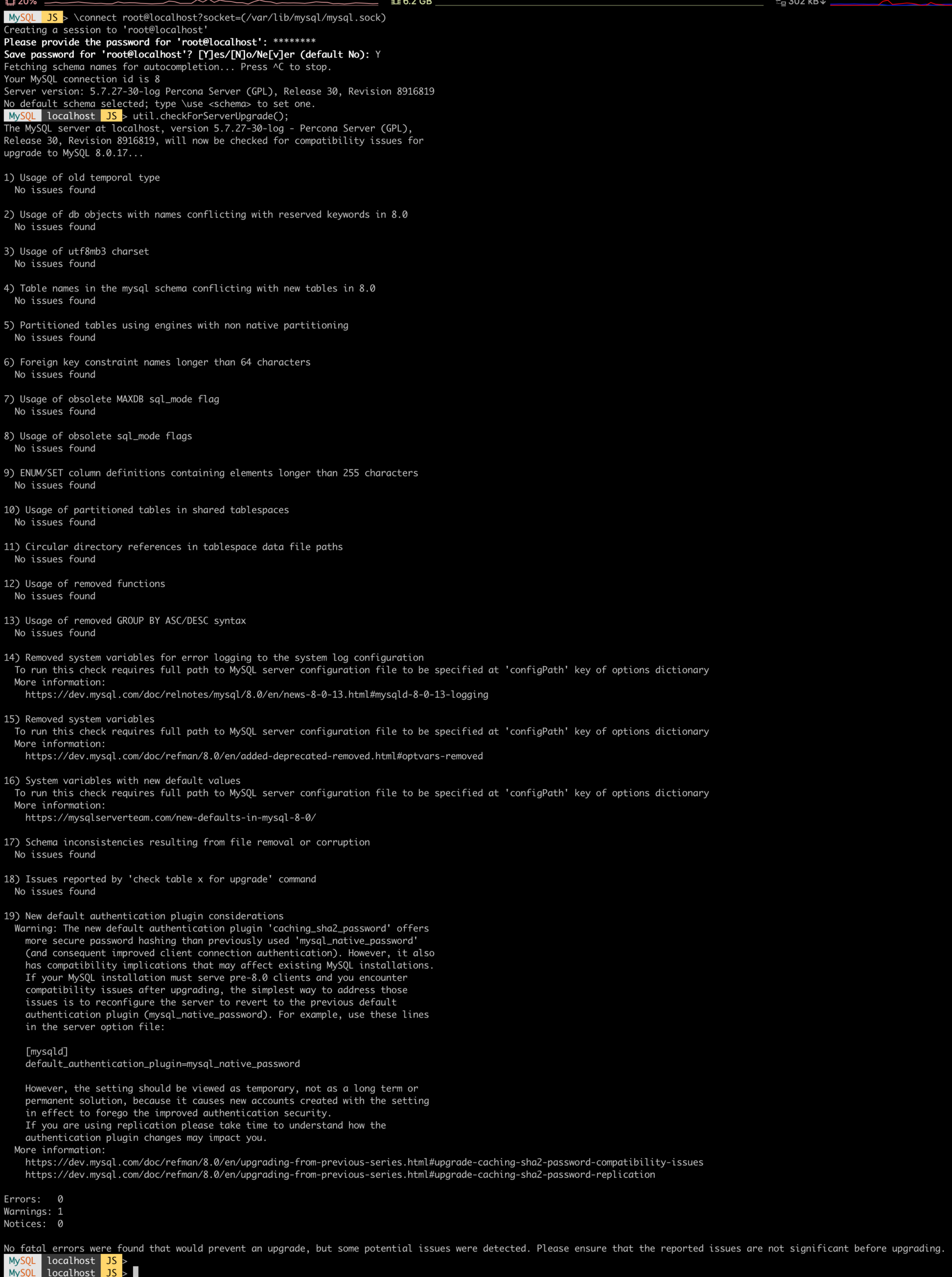
In conclusion, doing the pre-checks required to go from MySQL 5.7 to MySQL 8 is easier than ever with the MySQL Shell Upgrade Checker Utility. Besides reading the release notes before doing so, the only necessary step to perform is now a command that will leave little room for mistakes. Happy upgrade!




