When most people start working with PostgreSQL, they quickly learn SQL:
|
1 |
SELECT * FROM employees; |
But very soon, another world opens up inside psql — a set of commands that don’t look like SQL, don’t end with semicolons.
These are PostgreSQL Meta Commands, and they quietly power the daily workflow of almost every experienced DBA.
Meta commands are not about querying data — they are about navigating, inspecting, and controlling the PostgreSQL session/database efficiently.
Meta commands are special instructions interpreted by psql, not PostgreSQL itself.
That means:
The most commonly used meta commands are as follows. There are many more apart from these, however, below are the most frequently used ones:
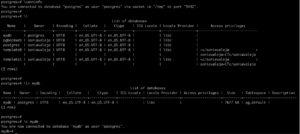
These commands help discover databases, establish connections, and verify the current session.
| \c | Connect to another database |
| \l | List all the databases available in the cluster |
| \l+ | List all the databases available in the cluster with more details, like DB Size, etc |
| \conninfo | Displays information about the current database connection |
Please find the example of the commands used to connect and manage sessions in the screenshot below:
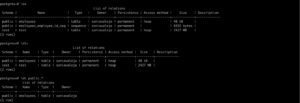
The \d family of commands is one of the most powerful features of psql . These commands can be used to discover database objects, inspect their definitions, and view additional metadata.
| \d | Describe database objects or list objects visible in the current search path. |
| \d object_name | Describe a specific table, view, sequence, or other database object. |
| \d+ object_name | Display extended information about an object. |
| \dt | List tables. Supports schema names and wildcard patterns. |
| \di | List indexes. Supports wildcard patterns. |
| \dn | List schemas in the current database. |
| \du | List database roles. |
| \db | List tablespaces |
| \dx | List installed extensions |
| \df | List functions and procedures |
| \sf function name | Displays the source code of the specific function/procedure |
Most object-inspection commands accept object names, schema-qualified names, and wildcard patterns.
For example:
|
1 |
\dt |
Lists all tables in the current search path.
|
1 |
\dt public.* |
Lists all tables in the public schema.
The same pattern matching is supported by several other meta-commands, including \di, \df, and the \d family.
Please find the example of the \d family commands in the screenshot below:
Several meta-commands are available to improve the readability of query output, particularly when working with wide result sets.
| \x [on|off|auto] | Toggle expanded (vertical) display |
| \o filename | Redirect query output to a file or pipe. |
| \o | Restore query output to the terminal. |
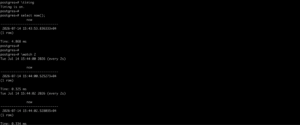
These commands assist in measuring query performance and repeatedly executing queries for monitoring purposes.
| \timing [on|off] | Toggle Query execution timing |
| \watch seconds | Re-execute the current query at the specified interval |
These commands simplify repetitive tasks and enable integration between psql, SQL scripts, and the operating system
| \i filename | Execute the commands from the file |
| \gexec | Execute each field returned by a query as an SQL statement. |
| \! command | Execute a shell command without leaving a psql prompt |
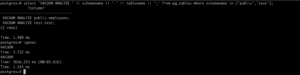
Built-in help commands provide quick access to both psql meta-command documentation and PostgreSQL SQL syntax without leaving the terminal.
| \? | Display all available psql meta-commands. |
| \h | List SQL commands for which syntax help is available. |
| \h command | Display syntax help for a specific SQL command. |
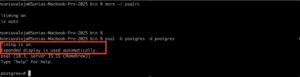
.psqlrc is a startup file in the home directory that psql reads when a session begins. It can hold meta-commands and SQL that run before the first prompt. The main benefit is consistent defaults — timing, formatting, and a custom prompt — without repeating setup each time, which speeds daily work and reduces connection mistakes across databases.
A minimal .psqlrc might look like this:
|
1 2 |
\timing on \x auto |
These settings load automatically on every new psql session as highlighted below:
PostgreSQL is powerful because of SQL — but for DBAs, psql meta commands make daily management far easier and more efficient.
Most developers use only a handful like \dt or \d. But experienced DBAs rely on a much broader toolkit to:
An easy way to understand the relationship between SQL and PostgreSQL meta commands is to compare them to driving a car.
SQL is like driving the car — it is the primary means of reaching a destination. It is used to retrieve, insert, update, and delete data, enabling applications and users to interact with the information stored in the database.
Meta commands, on the other hand, are like the car’s dashboard. While the dashboard does not move the vehicle, it provides essential information such as speed, fuel level, engine health, navigation status, and warning indicators. Driving without a dashboard is certainly possible, but it would mean operating with limited visibility into the vehicle’s condition and performance.
Similarly, SQL is responsible for manipulating and retrieving data, whereas PostgreSQL meta commands provide valuable insight into the database environment itself. They help administrators inspect database objects, navigate schemas, monitor sessions, examine roles and privileges, review object definitions, and perform numerous administrative tasks efficiently.
In essence, SQL enables interaction with the data, while meta commands enable interaction with the PostgreSQL environment. Together, they form a complementary toolkit that allows database professionals to work more effectively, troubleshoot issues faster, and administer PostgreSQL with greater confidence.
Resources
RELATED POSTS