

 We are pleased to announce the general availability of the Backup Management for MongoDB and other improvements in Percona Monitoring and Management (PMM) v.2.32 that has been released in November 2022. Details are in this blog and also in the PMM 2.32 Release Notes.
PMM is now on the scene with a new Home Dashboard where you can quickly and easily check your databases’ health at one glance and detect anomalies. While there’s no one-size-fits-all approach, we created and released the new Home Dashboard to make it more user-friendly, even for users new to PMM.
You can get started using PMM in minutes with PMM Demo to check out the latest version of PMM V2.32.
Let’s have a look at the highlights of PMM 2.32:
The Backup Management for MongoDB in PMM has reached General Availability and is no longer in Technical Preview.
MongoDB Backup Management now supports replica set setups for the following actions:
As mentioned and promised in previous release notes, we were investigating better approaches, methods, and user-friendly presentation of database health in the Home Dashboard, which is also the entry point to PMM. Finally, we are proud to release this finalized dashboard as the new Home Dashboard. Thank you for your feedback and collaboration during all iterations of the experimental versions.
If you have hundreds of nodes being monitored with the same PMM instance, the original dashboard may have taken a long time to load, which could have resulted in an unresponsive page, due to the design of the original Home Dashboard with repeating panels for each node. With performance issues in mind, we re-designed the Home Dashboard with new logic to show what is wrong or what is OK with your databases, instead of showing all metrics, for each node.
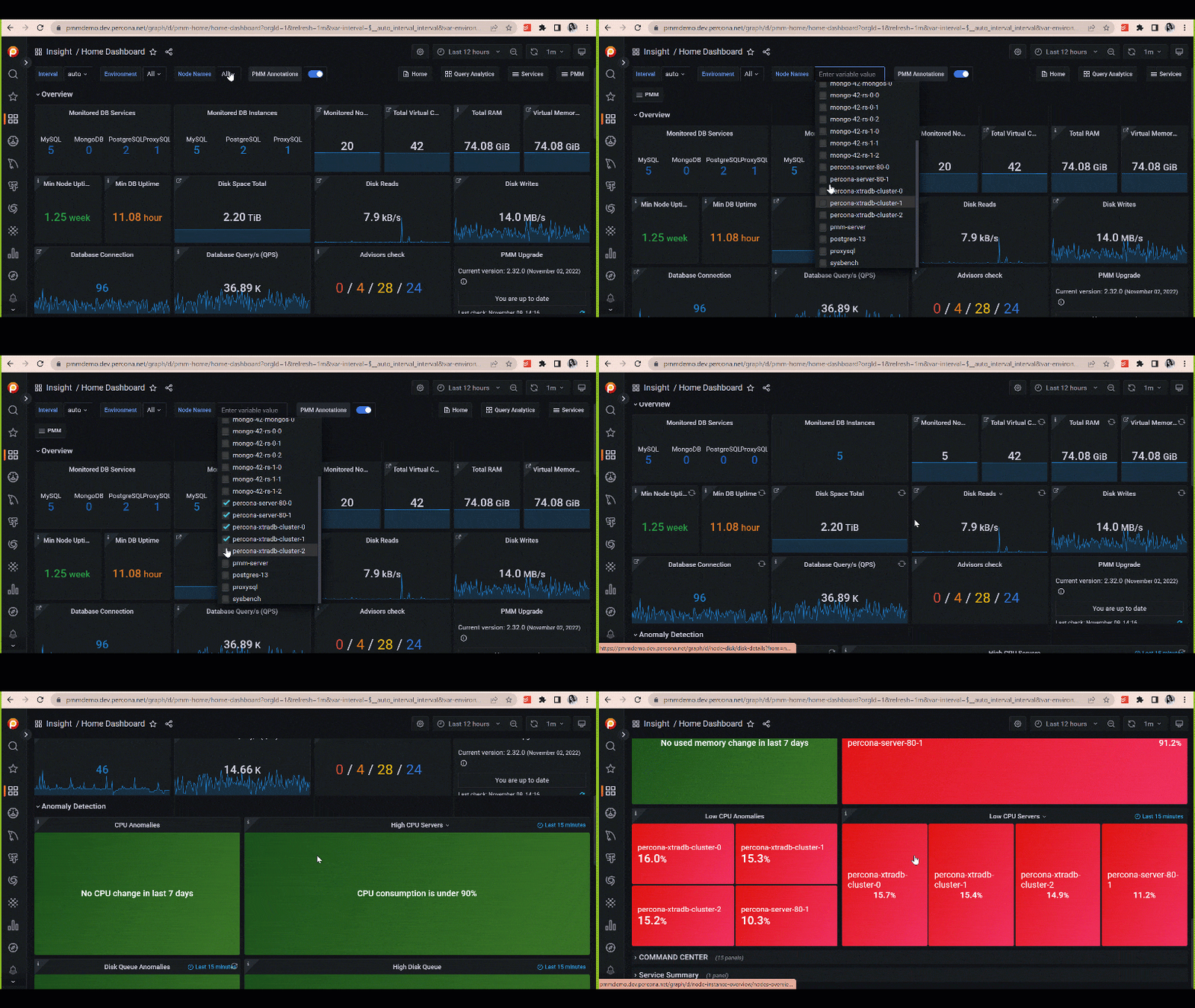
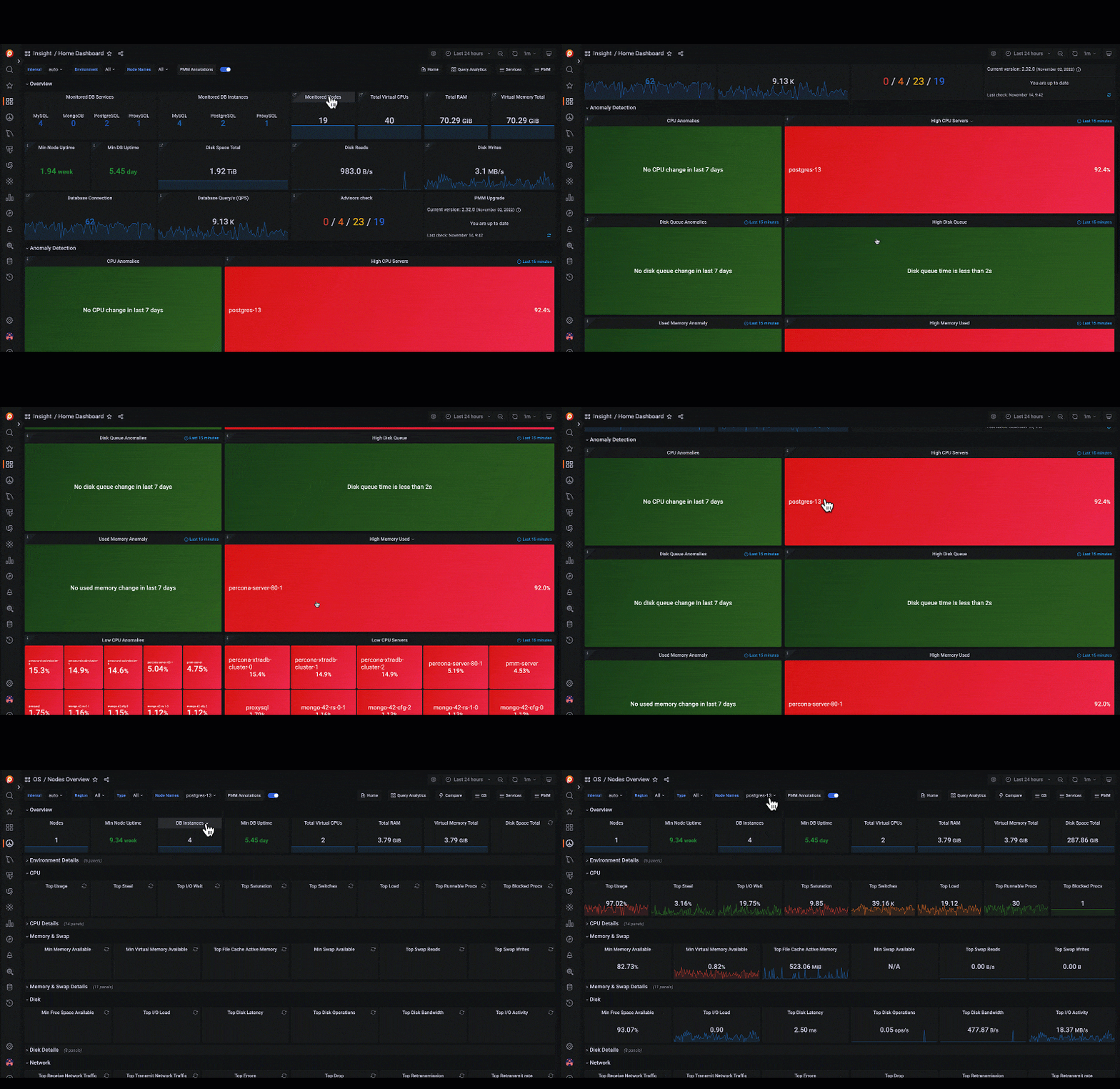
Many of you probably use dozens of tools for different purposes in your daily work, meetings, and projects. These tools should make your life easier, not more intensive. With monitoring tools, the issue of too many metrics can be daunting— so analyzing data, and detecting anomalies that deviate from a database’s normal behavior should be easy and fast. Functional Anomaly Detection panels, as opposed to separate graphs for each node, are a much better way to visualize and recognize problems with your databases that may require action to be taken.
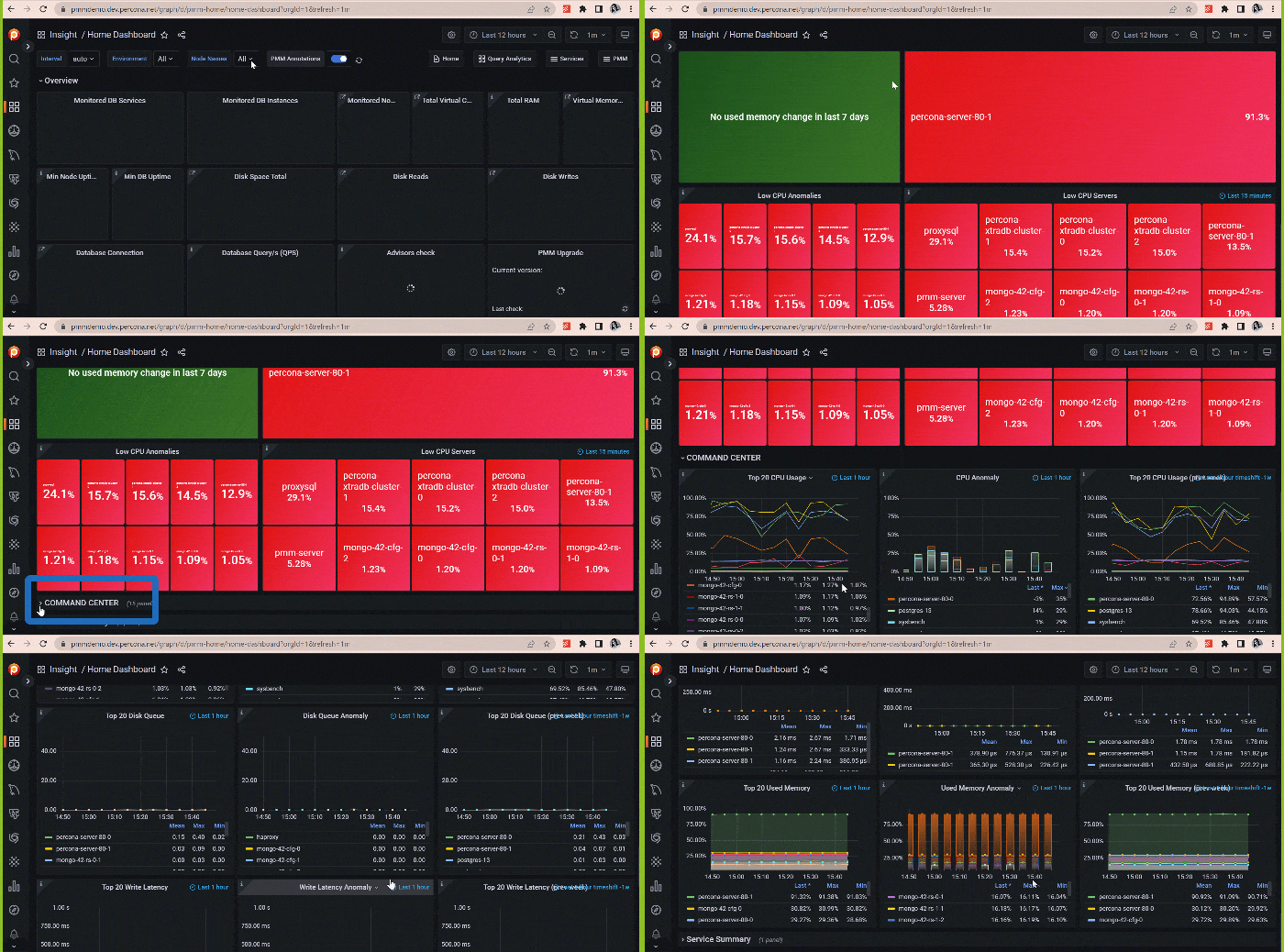
The primary motivation behind the new Home Dashboard is simplicity. It was always hard to balance presenting the required metrics for everyone and at the same time, making it clean, functional, and simple while working on the new design. So we decided to use Command Center panels which are collapsed by default. If you see any anomaly in Memory Usage with more than 90%, how do you know when it happened or started? Time-series graphs for the Top 20 in the Command Center panels will help you see when the anomalies occurred: in the last 1 hour or the last week?
We returned with two improvements we previously promised. These improvements were announced in V2.32 for easier access to dashboards from the Main Menu. After the last changes, with each possible monitored services type represented on the Main Menu as icons, the menu became crowded and extended with all icons representing different service types. In the latest version, you’ll only see the icons of currently monitored services on the Main Menu. For example, if you’re monitoring MongoDB, you will see the MongoDB Dashboard’s icon on the main menu, as opposed to the previous versions, which showed all database types PMM is capable of monitoring, whether you had them in your system or not. When and if you start to monitor other services like MySQL, they will be automatically added to the Main Menu.
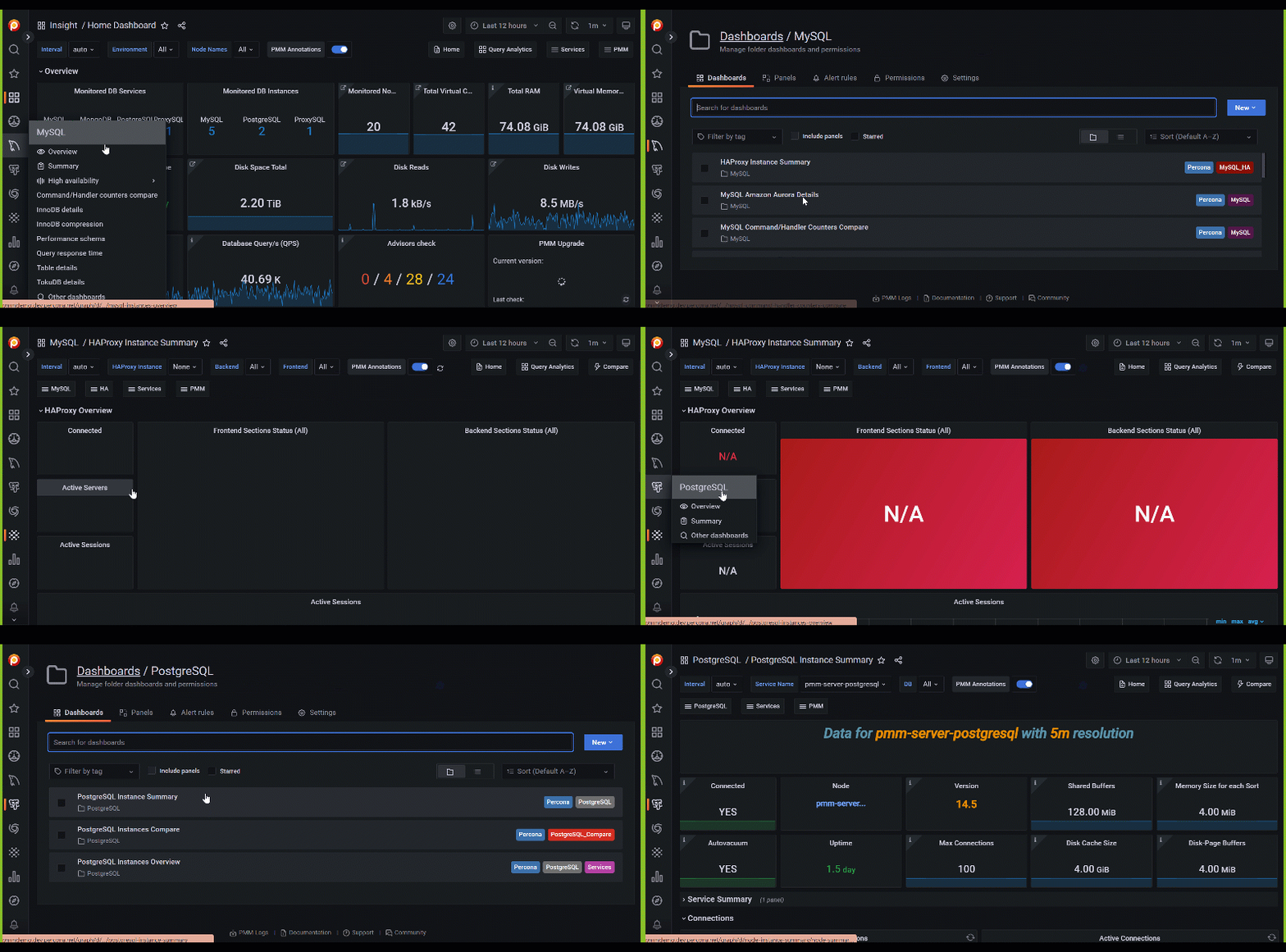
Another improvement on the Main Menu is the visibility of all other dashboards. PMM provides multiple dashboards for different levels of information for each service. You only see some dashboards in the main menu; the rest are available in the folders. Some users can miss these dashboards, which are not presented in the Main Menu. Also, customer dashboards created by different users in your organization can be missed or invisible to you until you see them in the folders by chance. So, we added Other Dashboards links to the sub-menu of each service, so that you can easily click and see all dashboards in the Service folder.
Install PMM 2.32 now or upgrade your installation to V2.32 by checking our documentation for more information about upgrading.
Learn more about Percona Monitoring and Management 3.32
We love our community and team in Percona, who shape the future of PMM, together and help us with all those changes.
You can also join us on our community forums to request new features, share your feedback, and ask for support.
Thank you for your collaboration on the new Home Dashboards:
Cihan Tunalı @SmartMessage
Tyson McPherson @Parts Authority
Paul Migdalen @IntelyCare
Resources
RELATED POSTS




