

 As we have Kubernetes installed in part one (see Using Percona Kubernetes Operators With K3s Part 1: Installation) and have Percona Server for MySQL running (Using Percona Kubernetes Operators With K3s Part 2: Percona Server for MySQL Operator) lets review how we can install monitoring and monitor our running instance.
We recently implemented helm charts to allow Percona Monitoring and Management (PMM) to be directly installed into Kubernetes (Percona Monitoring and Management in Kubernetes is now in Tech Preview).
The most convenient way is to use helm, so there it is:
|
1 2 3 |
helm repo add percona https://percona.github.io/percona-helm-charts/ helm repo update helm install pmm percona/pmm |
Please remember this is a Technical Preview release and there could be some issues (one of them later in this post).
And we will see the pod running:
|
1 2 3 4 5 |
kubectl get pods -o wide beast-node8-ubuntu: Wed Oct 12 09:05:39 2022 NAME READY STATUS RESTARTS AGE IP NODE NOMINATED NODE READINESS GATES percona-server-mysql-operator-7bb68f7b6d-tsvbv 1/1 Running 0 6d19h 10.42.1.10 beast-node6-ubuntu <none> <none> pmm-0 1/1 Running 0 5d18h 10.42.2.12 beast-node5-ubuntu <none> <none> |
This also will automatically expose PMM service to the outside world:
|
1 2 |
kubectl get svc monitoring-service NodePort 10.43.35.98 <none> 443:32227/TCP,80:32436/TCP |
This is the most manual process so far and I expect we will simplify it in the future.
To get running cluster monitored we need to obtain API key:
Step 1. Obtain PMM password
|
1 |
PMM_AUTH=$(echo -n admin:$(kubectl get secret pmm-secret -o jsonpath='{.data.PMM_ADMIN_PASSWORD}' | base64 --decode) | base64) |
Step 2. Obtain API_KEY via command line
The command line is critical in this case. When I got API_KEY via GUI it did not work for me.
|
1 2 3 |
curl --insecure -X POST -H 'Authorization: Basic $PMM_AUTH' -H "Content-Type: application/json" -d '{"name":"operator", "role": "Admin"}' "https://10.30.2.34:32227/graph/api/auth/keys" | jq .key > eyJrIjoiTFFpQW84S1dFZW1jVDZSMnM1SGk0M0c2djlzRFhjZHQiLCJuIjoib3BlcmF0b3I1IiwiaWQiOjF9 |
Step 3. Change pmmserverkey secret for running MySQL Cluster:
|
1 |
kubectl patch secret cluster9-secrets --type merge --patch '{"stringData": {"pmmserverkey": "eyJrIjoiTFFpQW84S1dFZW1jVDZSMnM1SGk0M0c2djlzRFhjZHQiLCJuIjoib3BlcmF0b3I1IiwiaWQiOjF9"}}' |
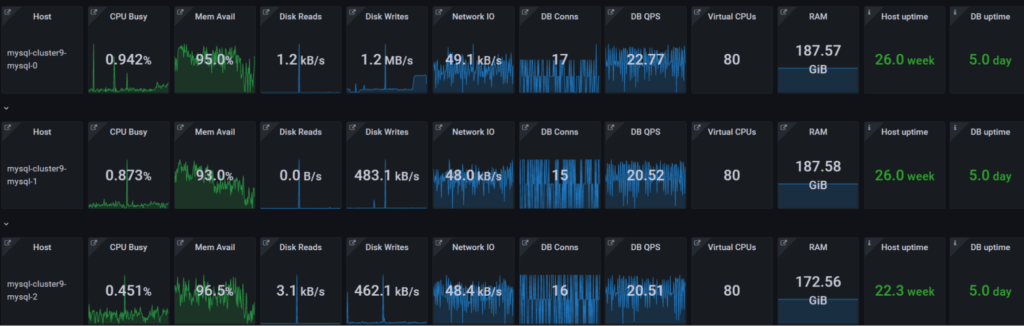
After this is processed we will see our cluster in PMM!
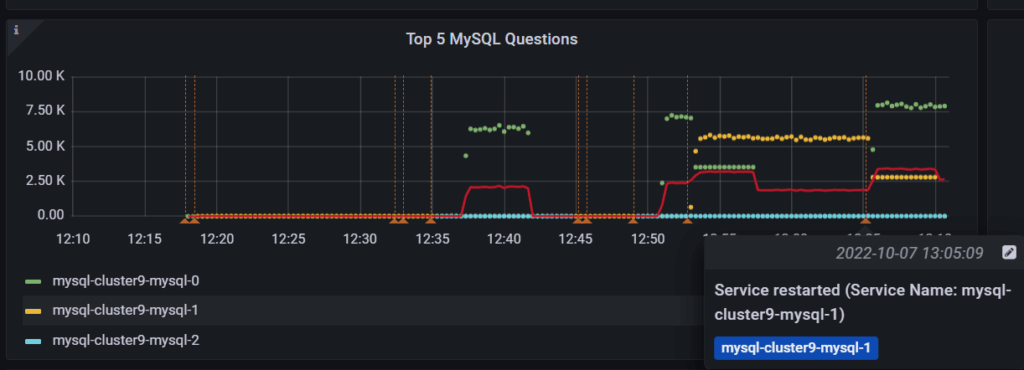
PMM will also show annotations:
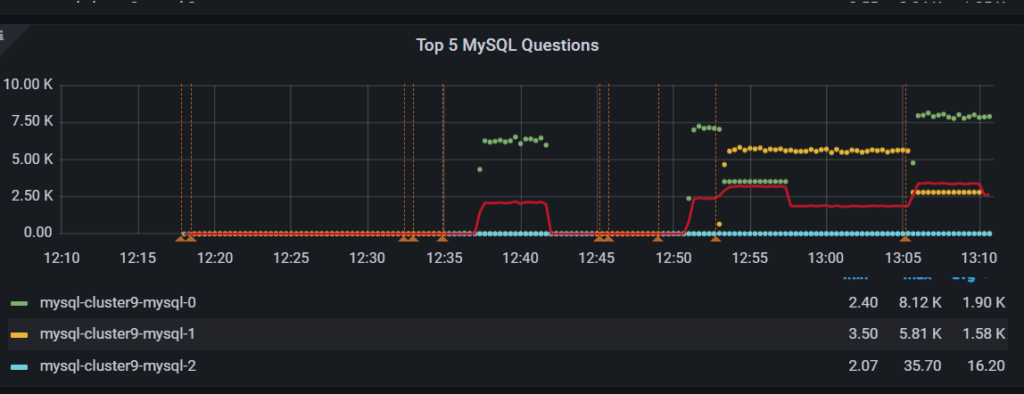
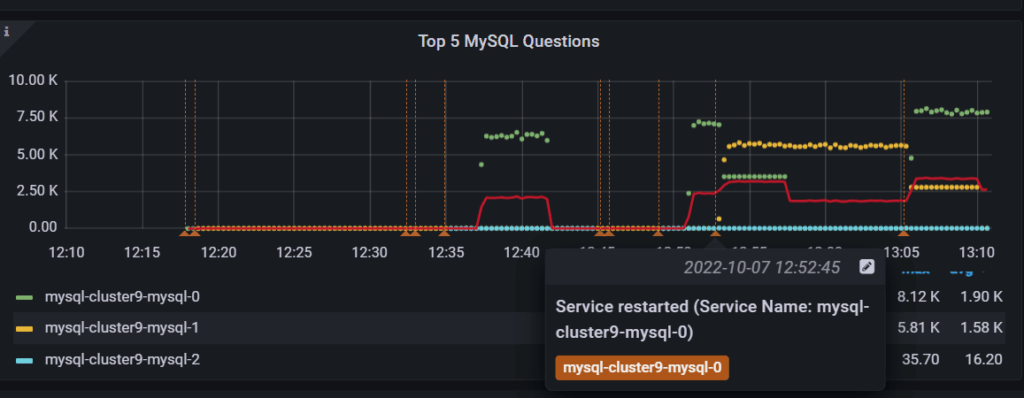
And we can see how the workload switches between nodes when we perform workload (see the previous post Using Percona Kubernetes Operators With K3s Part 2: Percona Server for MySQL Operator).
In this three-part series I showed:
Both Percona Operator for MySQL with asynchronous replication and PMM for Kubernetes are in Technical Preview state, so we need your feedback on what should be improved before we ship the final product!
Percona Kubernetes Operators automate the creation, alteration, or deletion of members in your Percona Distribution for MySQL, MongoDB, or PostgreSQL environment.




