

Our goal is to have a Rocket.Chat deployment which uses highly available Percona Server for MongoDB cluster as the backend database and it all runs on Kubernetes. To get there, we will do the following:
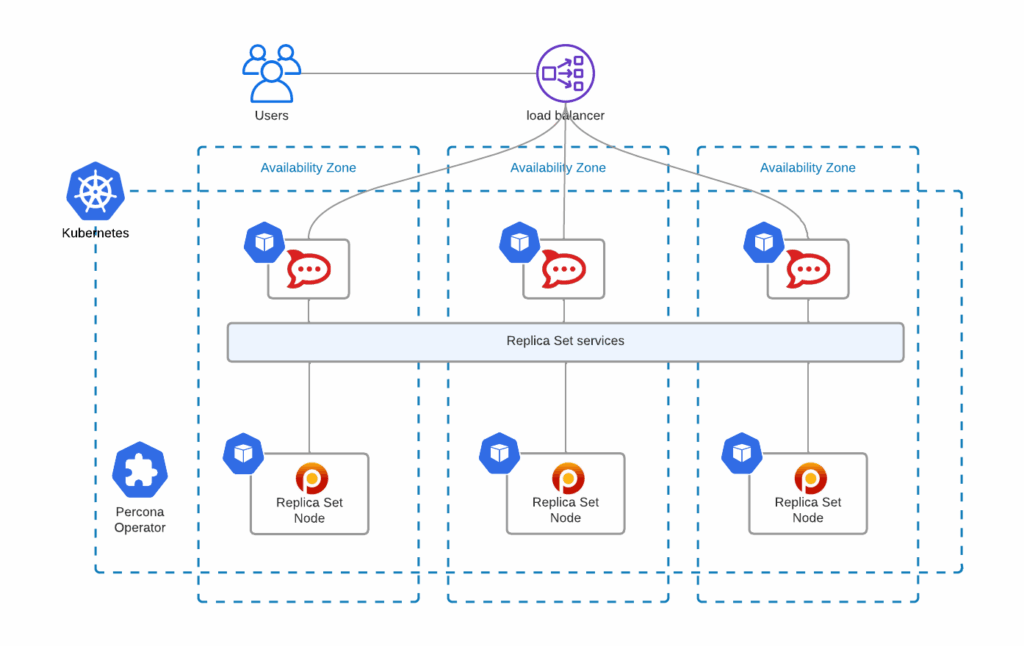
Percona Operator for MongoDB, compared to other solutions, is not only the most feature-rich but also comes with various management capabilities for your MongoDB clusters – backups, scaling (including sharding), zero-downtime upgrades, and many more. There are no hidden costs and it is truly open source.
This blog post is a walkthrough of running a production-grade deployment of Rocket.Chat with Percona Operator for MongoDB.
All YAML manifests that I use in this blog post can be found in this repository.
The following command deploys GKE cluster named percona-rocket in 3 availability zones:
|
1 |
gcloud container clusters create --zone us-central1-a --node-locations us-central1-a,us-central1-b,us-central1-c percona-rocket --cluster-version 1.21 --machine-type n1-standard-4 --preemptible --num-nodes=3 |
Read more about this in the documentation.
I’m going to use helm to deploy the Operator and the cluster.
Add helm repository:
|
1 |
helm repo add percona https://percona.github.io/percona-helm-charts/ |
Install the Operator into the percona namespace:
|
1 |
helm install psmdb-operator percona/psmdb-operator --create-namespace --namespace percona |
Deploy the cluster of Percona Server for MongoDB nodes:
|
1 |
helm install my-db percona/psmdb-db -f psmdb-values.yaml -n percona |
Replica set nodes are going to be distributed across availability zones. To get there, I altered the affinity keys in the corresponding sections of psmdb-values.yaml:
|
1 |
antiAffinityTopologyKey: "topology.kubernetes.io/zone" |
For Rocket.Chat to connect to our database cluster, we need to create the users. By default, clusters provisioned with our Operator have userAdmin user, its password is set in psmdb-values.yaml:
|
1 |
MONGODB_USER_ADMIN_PASSWORD: userAdmin123456 |
For production-grade systems, do not forget to change this password or create dedicated secrets to provision those. Read more about user management in our documentation.
Spin up a client Pod to connect to the database:
|
1 |
kubectl run -i --rm --tty percona-client1 --image=percona/percona-server-mongodb:4.4.10-11 --restart=Never -- bash -il |
Connect to the database with userAdmin:
|
1 |
We are going to create the following:
|
1 2 3 4 5 6 7 8 9 10 11 12 13 14 15 16 17 |
use rocketchat db.createUser({ user: "rocketChat", pwd: passwordPrompt(), roles: [ { role: "readWrite", db: "rocketchat" } ] }) use admin db.createUser({ user: "oplogger", pwd: passwordPrompt(), roles: [ { role: "read", db: "local" } ] }) |
I will use helm here to maintain the same approach.
|
1 |
helm install -f rocket-values.yaml my-rocketchat rocketchat/rocketchat --version 3.0.0 |
You can find rocket-values.yaml in the same repository. Please make sure you set the correct passwords in the corresponding YAML fields.
As you can see, I also do the following:
Load Balancer will be created with a public IP address:
|
1 2 3 |
$ kubectl get service my-rocketchat-rocketchat NAME TYPE CLUSTER-IP EXTERNAL-IP PORT(S) AGE my-rocketchat-rocketchat LoadBalancer 10.32.17.26 34.68.238.56 80:32548/TCP 12m |
You should now be able to connect to 34.68.238.56 and enjoy your highly available Rocket.Chat installation.
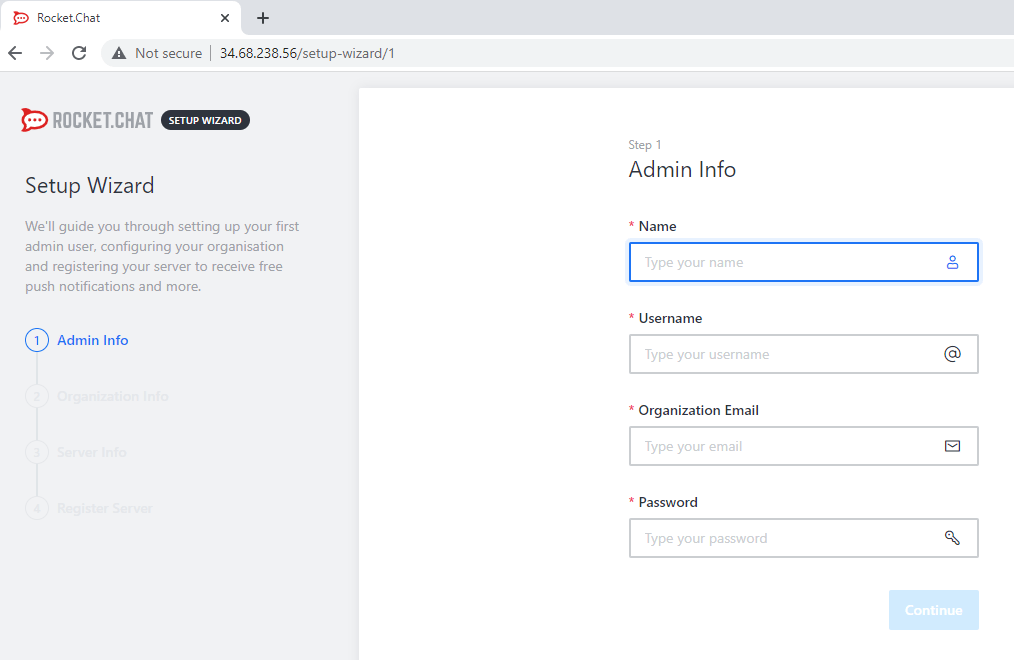
Uninstall all helm charts to remove MongoDB cluster, the Operator, and Rocket.Chat:
|
1 2 3 |
helm uninstall my-rocketchat helm uninstall my-db -n percona helm uninstall psmdb-operator -n percona |
Instead of exposing Rocket.Chat through a load balancer, you may also try ingress. By doing so, you can integrate it with cert-manager and have a valid TLS certificate for your chat server.
It is also possible to run a sharded MongoDB cluster with Percona Operator. If you do so, Rocket.Chat will connect to mongos Service, instead of the replica set nodes. But you will still need to connect to the replica set directly to get oplogs.
We encourage you to try out Percona Operator for MongoDB with Rocket.Chat and let us know on our community forum your results.
There is always room for improvement and a time to find a better way. Please let us know if you face any issues with contributing your ideas to Percona products. You can do that on the Community Forum or JIRA. Read more about contribution guidelines for Percona Operator for MongoDB in CONTRIBUTING.md.
Percona Operator for MongoDB contains everything you need to quickly and consistently deploy and scale Percona Server for MongoDB instances into a Kubernetes cluster on-premises or in the cloud. The Operator enables you to improve time to market with the ability to quickly deploy standardized and repeatable database environments. Deploy your database with a consistent and idempotent result no matter where they are used.
Resources
RELATED POSTS





Hello, as I’m aware the Rocket chat HA is not awailable in free version. So about your article https://www.percona.com/blog/percona-mongodb-operator-kubernetes-rocket-chat does this work with free or paid version of rocket chat?
Hello Simo.
I wrote this blog post using free version of rocket chat and one rocket chat node. It worked just fine.
I do not see any reason why would it not work with paid version though.
Let me know if it helps and if you have any questions.