In this blog post, we will discuss replacing a Mongo node. Consider a scenario when a node is going to be decommissioned for some reason or if a node’s data partition is almost full and not extendable. To avoid the disk getting full or decommissioned, we need to replace that node with a new node.
Note: Make sure to have enough oplog window to cover this activity. Make sure you have an up-to-date backup of your data set. To get a consistent backup, stop the writes to the MongoDB instance and take a snapshot of the volume. Here, we will take a hotbackup or EBS snapshot of the node and will use it to replace the node.
If the node that is going to be replaced is part of a replica set Primary-Secondary-Arbiter (PSA) with three voting members, then make sure writeConcern is not set as majority; it may timeout or never be acknowledged.
Let’s say it’s an EBS snapshot. An EBS snapshot can be created by selecting the EC2 instance and its respective volume.
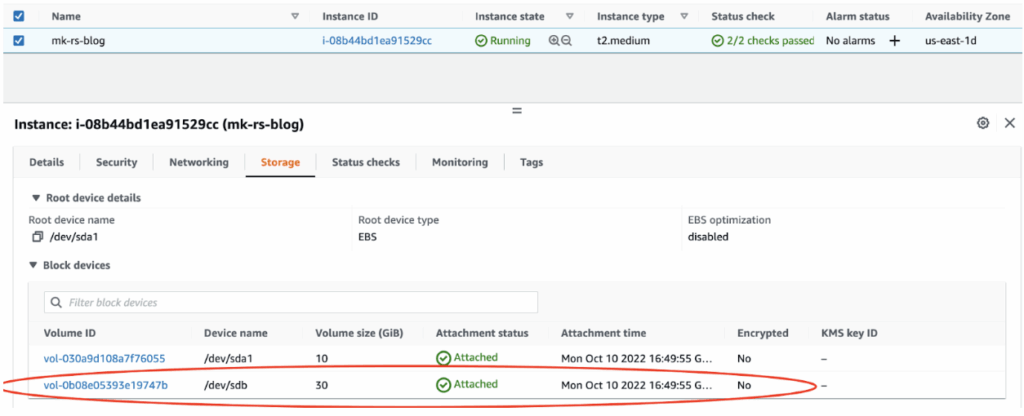
Select the respective data volume /dev/sdb and create a snapshot. Make sure to select the correct volume ID.
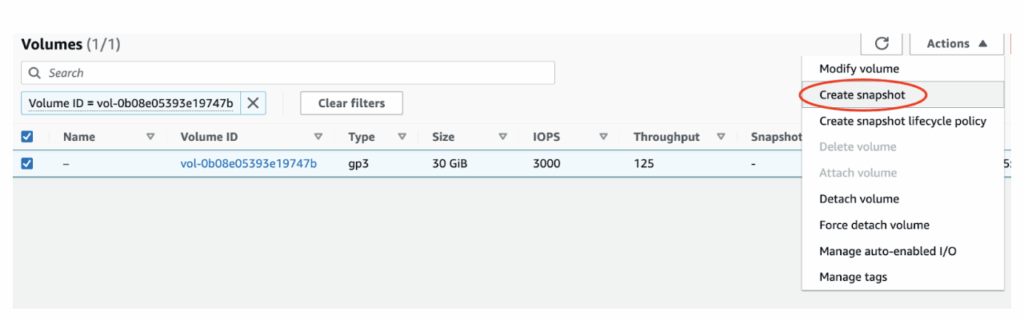
Note: The time to create the snapshot may be several hours, depending on the size of large initial snapshots or subsequent snapshots where many blocks have changed.
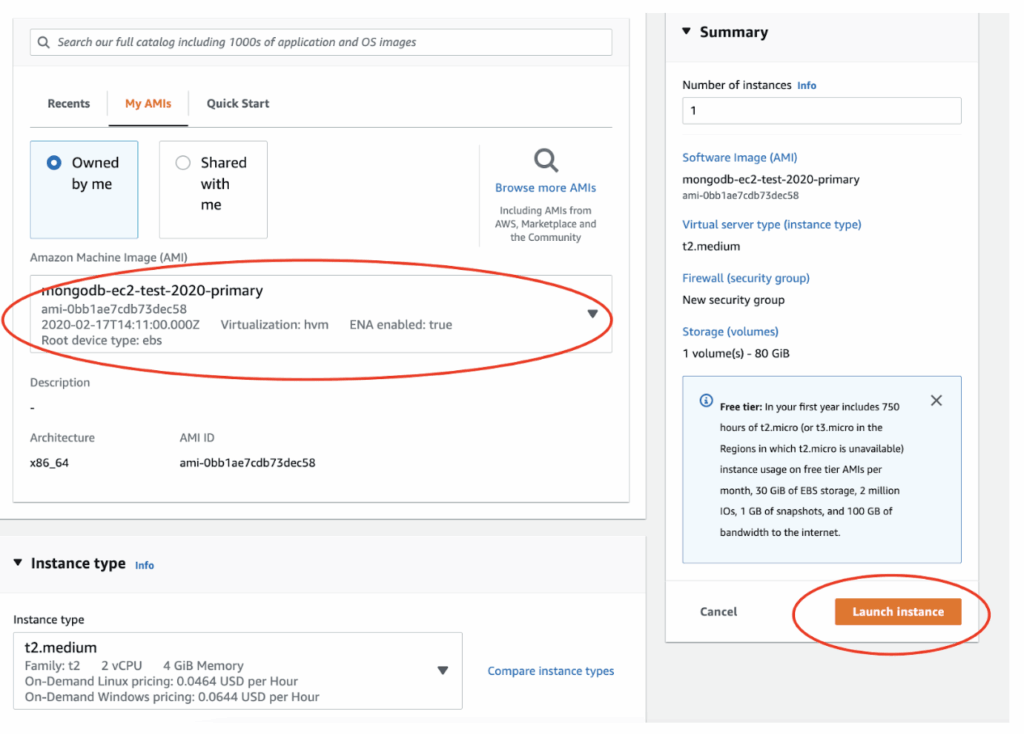
Create a new instance of a similar instance type (which is going to be replaced) by using the AMI of one of the current EC2 nodes.
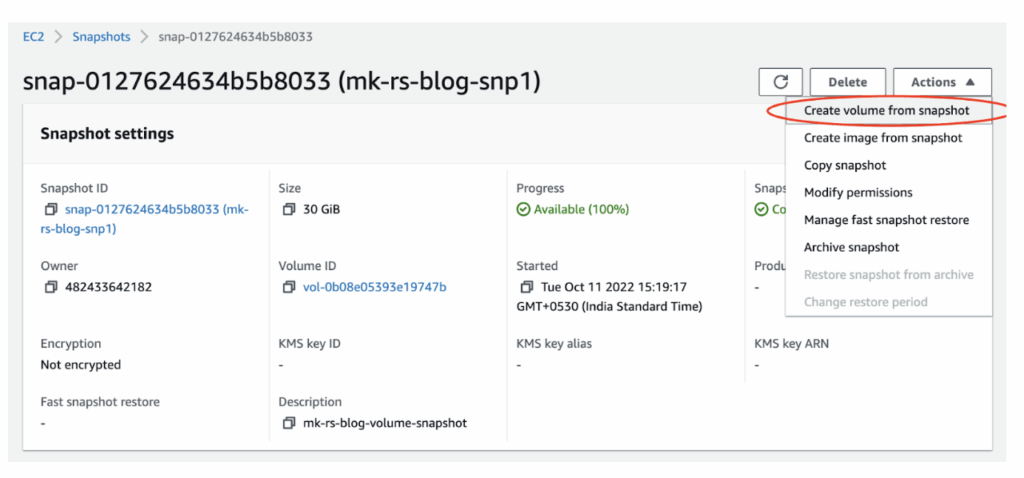
Create volume from the EBS snapshot by choosing the correct Snapshot ID. Define the EBS size that suffices for your use case.
Attach the EBS volume to the newly created instance.
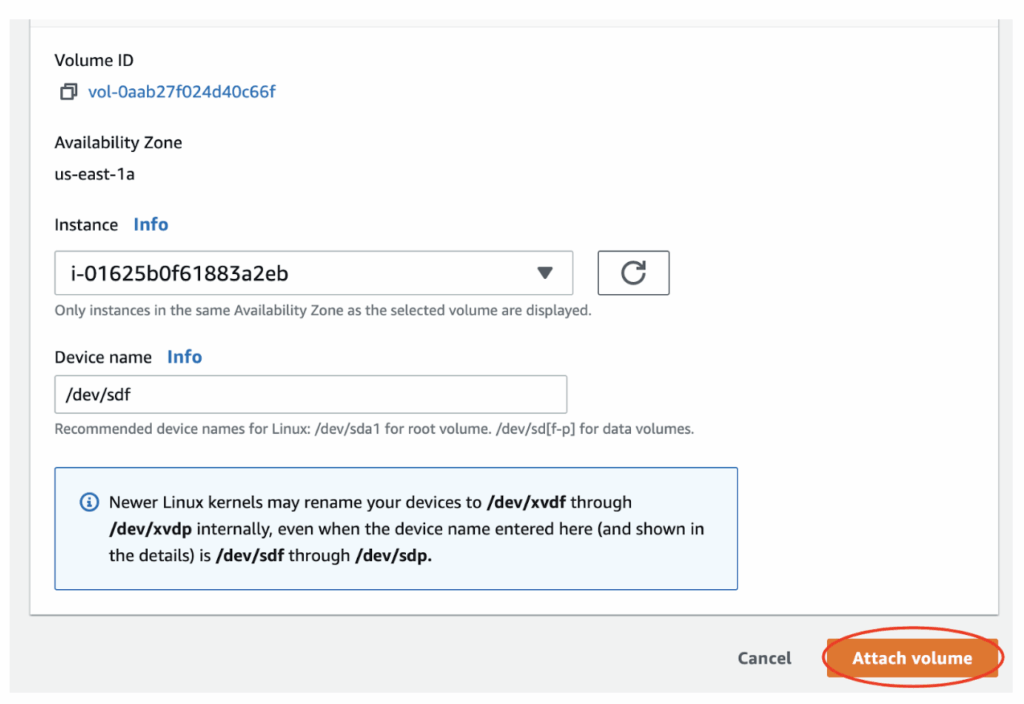
Once attached, connect to the EC2 instance and attach the volume (make sure to keep the correct device name).
Initialize the volume created from the snapshot. For more details, check the Initialize Amazon EBS volumes on Linux doc.
|
1 |
sudo dd if=/dev/xvdf of=/dev/null bs=1M |
And then mount the volume to a directory.
|
1 2 |
sudo mkdir /mongo_data sudo mount /dev/xvdf /mongo_data/ |
If it’s a hot backup (learn how to take a hot backup), launch an instance for MongoDB using the AMI of one of the current EC2 nodes and attach the desired volume size to this instance. Copy the hot backups to it.
Here, it may have two cases.
Case 1: When you have members in the replica set as DNS names. In this case, follow the below steps:
|
1 |
rs.add("newly-launch-host:27018") |
|
1 2 3 |
cfg = rs.conf() cfg.members[_id].priority = 0.5 rs.reconfig(cfg) |
|
1 2 |
rs.remove("old-shard-host:27018") rs.conf() |
Shut down the mongo service from the old node.
|
1 |
sudo systemctl stop mongod |
So, the desired hostname of the newly-launched host would become:
|
1 |
Newly-launch-host -> old-shard-host |
Once the newly launched hostname is changed, adjust its hostname info in /etc/hosts for all nodes of the sharded cluster and application.
Note: Make sure all connectivity is tested between all nodes to the new nodes on mongo port.
|
1 2 3 |
cfg = rs.conf() cfg.members[_id].hostname = "old-shard-host:27018" rs.reconfig(cfg) |
|
1 2 3 |
cfg = rs.conf() cfg.members[_id].priority = 1 rs.reconfig(cfg) |
Case 2: When you have members in the shard/replica set as IPs, not as DNS name.
Note: It gives access to every resource in the system and is intended for internal use only. Do not use this role other than in exceptional circumstances.
|
1 2 |
rs.remove("old-node-ips:27018") rs.conf() |
|
1 |
sudo systemctl stop mongod |
|
1 |
rs.add("new-node-ips:27018") |
Verify the replication status for the newly-launch node. If everything goes well, your old instance has been replaced with the new node.
Nowadays, being on the cloud, it’s common for a node to get retired or decommissioned. With the above-mentioned approach, we can easily replace a Mongo node with a new node.
We encourage you to try our products for MongoDB, like Percona Server for MongoDB, Percona Backup for MongoDB, or Percona Operator for MongoDB. Also, we recommend reading our blog MongoDB: Why Pay for Enterprise When Open Source Has You Covered?
Resources
RELATED POSTS