

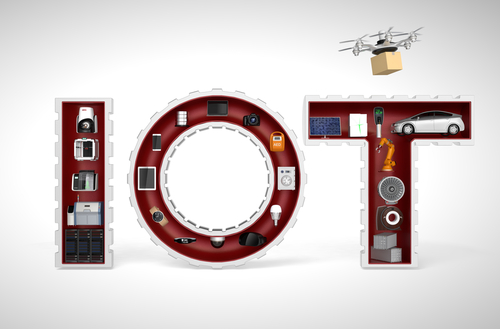
 In this blog post, I’ll discuss how to use MySQL 5.7 Document Store to track data from Internet of Things (IoT) devices.
Using JSON in MySQL 5.7
In my previous blog post, I’ve looked into MySQL 5.7.12 Document Store. This is a brand new feature in MySQL 5.7, and many people are asking when do I need or want to use the JSON or Document Store interface?
Storing data in JSON may be quite useful in some cases, for example:
Internet of Things
In this blog post, I will show an example of storing an event stream from Particle Photon. Last time I created a device to measure light and temperature and stored the results in MySQL. Particle.io provides the ability to use its own MQTT server and publish events with:
|
1 2 3 |
Spark.publish("temperature", String(temperature)); Spark.publish("humidity", String(humidity)); Spark.publish("light", String(light)); |
Then, I wanted to “subscribe” to my events and insert those into MySQL (for further analysis). As we have three different metrics for the same device, we have two basic options:
The first option above is not flexible. If my device starts measuring the soil temperature, I will have to “alter table add column”.
Option two is better in this regard, but I may significantly increase the table size as I have to store the name as a string for each measurement. In addition, some devices may send more complex metrics (i.e., latitude and longitude).
In this case, using JSON for storing metrics can be a better option. In this case, I’ve also decided to try Document Store as well.
First, we will need to enable X Plugin and setup the NodeJS / connector. Here are the steps required:
|
1 2 3 4 |
# node --version v4.4.4 # wget https://dev.mysql.com/get/Downloads/Connector-Nodejs/mysql-connector-nodejs-1.0.2.tar.gz # npm install mysql-connector-nodejs-1.0.2.tar.gz |
Storing Events from Sensors
Particle.io provides you with an API that allows you to subscribe to all public events (“events” are what sensors send). The API is for NodeJS, which is really convenient as we can use NodeJS for MySQL 5.7.12 Document Store as well.
To use the Particle API, install the particle-api-js module:
|
1 |
$ npm install particle-api-js |
I’ve created the following NodeJS code to subscribe to all public events, and then add the data (in JSON format) to a document store:
|
1 2 3 4 5 6 7 8 9 10 11 12 13 14 15 16 17 18 19 20 21 22 23 24 25 26 27 28 29 30 31 32 33 34 35 36 37 38 39 40 41 42 43 |
var mysqlx = require('mysqlx'); var Particle = require('particle-api-js'); var particle = new Particle(); var token = '<place your token here>' var mySession = mysqlx.getSession({ host: 'localhost', port: 33060, dbUser: 'root', dbPassword: '<place your pass here>' }); process.on('SIGINT', function() { console.log("Caught interrupt signal. Exiting..."); process.exit() }); particle.getEventStream({ auth: token}).then(function(stream) { stream.on('event', function(data) { console.log(data); mySession.then(session => { session.getSchema("iot").getCollection("event_stream") .add( data ) .execute(function (row) { // can log something here }).catch(err => { console.log(err); }) .then( function (notices) { console.log("Wrote to MySQL: " + JSON.stringify(notices)) }); }).catch(function (err) { console.log(err); process.exit(); }); }); }).catch(function (err) { console.log(err.stack); process.exit(); }); |
How it works:
One of the reasons I use document store here is I do not have to know what is inside the event data. I do not have to parse it, I simply throw it to MySQL and analyze it later. If the format of data will change in the future, my application will not break.
Inside the data stream
Here is the example of running the above code:
|
1 2 3 4 5 6 7 8 9 10 11 12 13 14 15 16 17 18 19 20 21 22 23 24 25 26 27 28 29 |
{ data: 'Humid: 49.40 Temp: 25.00 *C Dew: 13.66 *C HeatI: 25.88 *C', ttl: '60', published_at: '2016-05-20T19:30:51.433Z', coreid: '2b0034000947343337373738', name: 'log' } Wrote to MySQL: {"_state":{"rows_affected":1,"doc_ids":["a3058c16-15db-0dab-f349-99c91a00"]}} { data: 'null', ttl: '60', published_at: '2016-05-20T19:30:51.418Z', coreid: '50ff72...', name: 'registerdev' } Wrote to MySQL: {"_state":{"rows_affected":1,"doc_ids":["eff0de02-726e-34bd-c443-6ecbccdd"]}} { data: '24.900000', ttl: '60', published_at: '2016-05-20T19:30:51.480Z', coreid: '2d0024...', name: 'Humid 2' } { data: '[{"currentTemp":19.25},{"currentTemp":19.19},{"currentTemp":100.00}]', ttl: '60', published_at: '2016-05-20T19:30:52.896Z', coreid: '2d002c...', name: 'getTempData' } Wrote to MySQL: {"_state":{"rows_affected":1,"doc_ids":["5f1de278-05e0-6193-6e30-0ebd78f7"]}} { data: '{"pump":0,"salt":0}', ttl: '60', published_at: '2016-05-20T19:30:51.491Z', coreid: '55ff6...', name: 'status' } Wrote to MySQL: {"_state":{"rows_affected":1,"doc_ids":["d6fcf85f-4cba-fd59-a5ec-2bd78d4e"]}} |
(Please note: although the stream is public, I’ve tried to anonymize the results a little.)
As we can see the “data” is JSON and has that structure. I could have implemented it as a MySQL table structure (adding published_at, name, TTL and coreid as separate fields). However, I would have to depend on those specific fields and change my application if those fields changed. We also see examples of how the device sends the data back: it can be just a number, a string or another JSON.
Analyzing the results
Now I can go to MySQL and use SQL (which I’ve used for >15 years) to find out what I’ve collected. First, I want to know how many device names I have:
|
1 2 3 4 5 6 7 8 9 10 11 12 13 14 15 16 17 18 19 20 |
mysql -A iot Welcome to the MySQL monitor. Commands end with ; or g. Your MySQL connection id is 3289 Server version: 5.7.12 MySQL Community Server (GPL) Copyright (c) 2000, 2016, Oracle and/or its affiliates. All rights reserved. Oracle is a registered trademark of Oracle Corporation and/or its affiliates. Other names may be trademarks of their respective owners. Type 'help;' or 'h' for help. Type 'c' to clear the current input statement. mysql> select count(distinct json_unquote(doc->'$.name')) from event_stream; +---------------------------------------------+ | count(distinct json_unquote(doc->'$.name')) | +---------------------------------------------+ | 1887 | +---------------------------------------------+ 1 row in set (5.47 sec) |
That is slow! As described in my previous post, I can create a virtual column and index for doc->’$.name’ to make it faster:
|
1 2 3 4 5 6 7 8 9 10 11 12 13 14 15 16 17 18 19 20 21 22 23 24 25 26 27 28 |
mysql> alter table event_stream add column name varchar(255) -> generated always as (json_unquote(doc->'$.name')) virtual; Query OK, 0 rows affected (0.17 sec) Records: 0 Duplicates: 0 Warnings: 0 mysql> alter table event_stream add key (name); Query OK, 0 rows affected (3.47 sec) Records: 0 Duplicates: 0 Warnings: 0 mysql> show create table event_stream *************************** 1. row *************************** Table: event_stream Create Table: CREATE TABLE `event_stream` ( `doc` json DEFAULT NULL, `_id` varchar(32) GENERATED ALWAYS AS (json_unquote(json_extract(`doc`,'$._id'))) STORED NOT NULL, `name` varchar(255) GENERATED ALWAYS AS (json_unquote(json_extract(`doc`,'$.name'))) VIRTUAL, UNIQUE KEY `_id` (`_id`), KEY `name` (`name`) ) ENGINE=InnoDB DEFAULT CHARSET=utf8mb4 1 row in set (0.00 sec) mysql> select count(distinct name) from event_stream; +----------------------+ | count(distinct name) | +----------------------+ | 1887 | +----------------------+ 1 row in set (0.67 sec) |
How many beers left?
Eric Joyce has published a Keg Inventory Counter that uses a Particle Proton device to measure the amount of beer in a keg by 12oz pours. I want to see what was the average and the lowest amount of beer per day:
|
1 2 3 4 5 6 7 8 9 10 11 12 13 14 15 |
mysql> select date(json_unquote(doc->'$.published_at')) as day, -> avg(json_unquote(doc->'$.data')) as avg_beer_left, -> min(json_unquote(doc->'$.data')) as min_beer_left -> from event_stream -> where name = 'Beers_left' -> group by date(json_unquote(doc->'$.published_at')); +------------+--------------------+---------------+ | day | avg_beer_left | min_beer_left | +------------+--------------------+---------------+ | 2016-05-13 | 53.21008358996988 | 53.2 | | 2016-05-18 | 52.89973045822105 | 52.8 | | 2016-05-19 | 52.669233854792694 | 52.6 | | 2016-05-20 | 52.60644257702987 | 52.6 | +------------+--------------------+---------------+ 4 rows in set (0.44 sec) |
Conclusion
Document Store can be very beneficial if an application is working with a JSON field and does not know or does not care about its structure. In this post, I’ve used the “save to MySQL and analyze later” approach here. We can then add virtual fields and add indexes if needed.
Resources
RELATED POSTS





Hi Alexander,
Thank you for the article, as always very interesting.
I have a question, what is the reason of the differential 1887 rows (no index) and 1820 with index?.
Thank you.
William,
Hmm, you are right. I’ve probably copied it from different point in time. I will check.