

If you’ve ever wrestled with .tfvars, juggled Ansible inventory files, or got tired of copy-pasting the exact command sequence for a MongoDB setup — this post is for you.
PSMDB Sandbox is a lightweight web frontend that ships inside the Percona MongoDB Automation repository. It puts a clean browser interface on top of the full Terraform + Ansible automation stack, so you can spin up, manage, and tear down MongoDB environments without ever touching a config file by hand.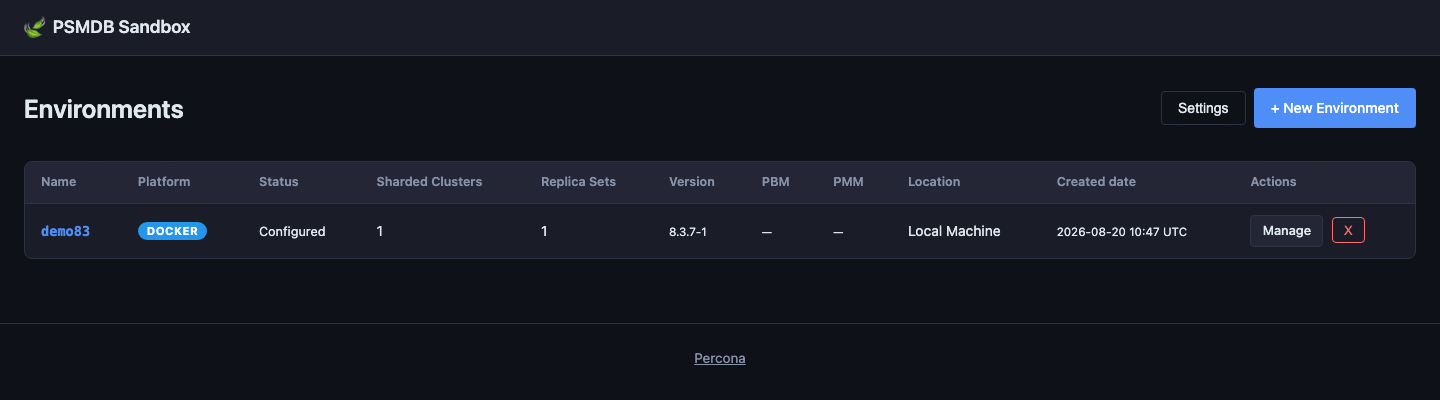
The mongo_terraform_ansible project already automates a lot: it can deploy Percona Server for MongoDB (PSMDB), Percona Backup for MongoDB (PBM), and Percona Monitoring and Management (PMM) across AWS, GCP, Azure, Docker, and Libvirt/KVM. That’s powerful — but the workflow traditionally meant editing .tfvars files and running terraform and ansible commands in the right order.
The Go UI changes that. It wraps the same Terraform and Ansible automation in a wizard-style interface, streams live output to your browser, and keeps track of environment state so you always know what’s running, stopped, or in progress.
It’s particularly useful as a testing sandbox for the complete Percona for MongoDB stack. You can quickly spin up a replica set or sharded cluster, test backup and restore workflows with PBM, explore audit logging, and observe everything through PMM monitoring — all from the browser, and all torn down just as easily when you’re done.
Define how many clusters and replica sets you want, the number of nodes per replica set, and whether to deploy a sharded cluster or a simple replica set. Each cluster is independently configurable.
Pick the exact Percona Server for MongoDB release you want to test — package identifiers are fetched automatically from the Percona repository listing on startup, so you’re always selecting from what’s genuinely available. For Docker-based environments, image tags are pulled live from Docker Hub.
Percona Backup for MongoDB can be included in the deployment. PBM is configured with the native storage backend for the supported environments (e.g. an S3 bucket is automatically created for AWS). This makes the sandbox ideal for testing backup policies, point-in-time recovery, and restore scenarios without touching production.
You can include a PMM Server in your environment so every PSMDB node is monitored from the moment it comes up. This makes it straightforward to test alerting rules, explore query analytics, or simply validate that your monitoring setup looks right before applying it elsewhere.
When you hit Deploy, the UI kicks off terraform (and Ansible playbooks for cloud platforms) in a background goroutine and streams the output directly to your browser via Server-Sent Events. No more tailing log files in a separate terminal.
After a successful deployment, the environment detail page shows every host (or container) with:
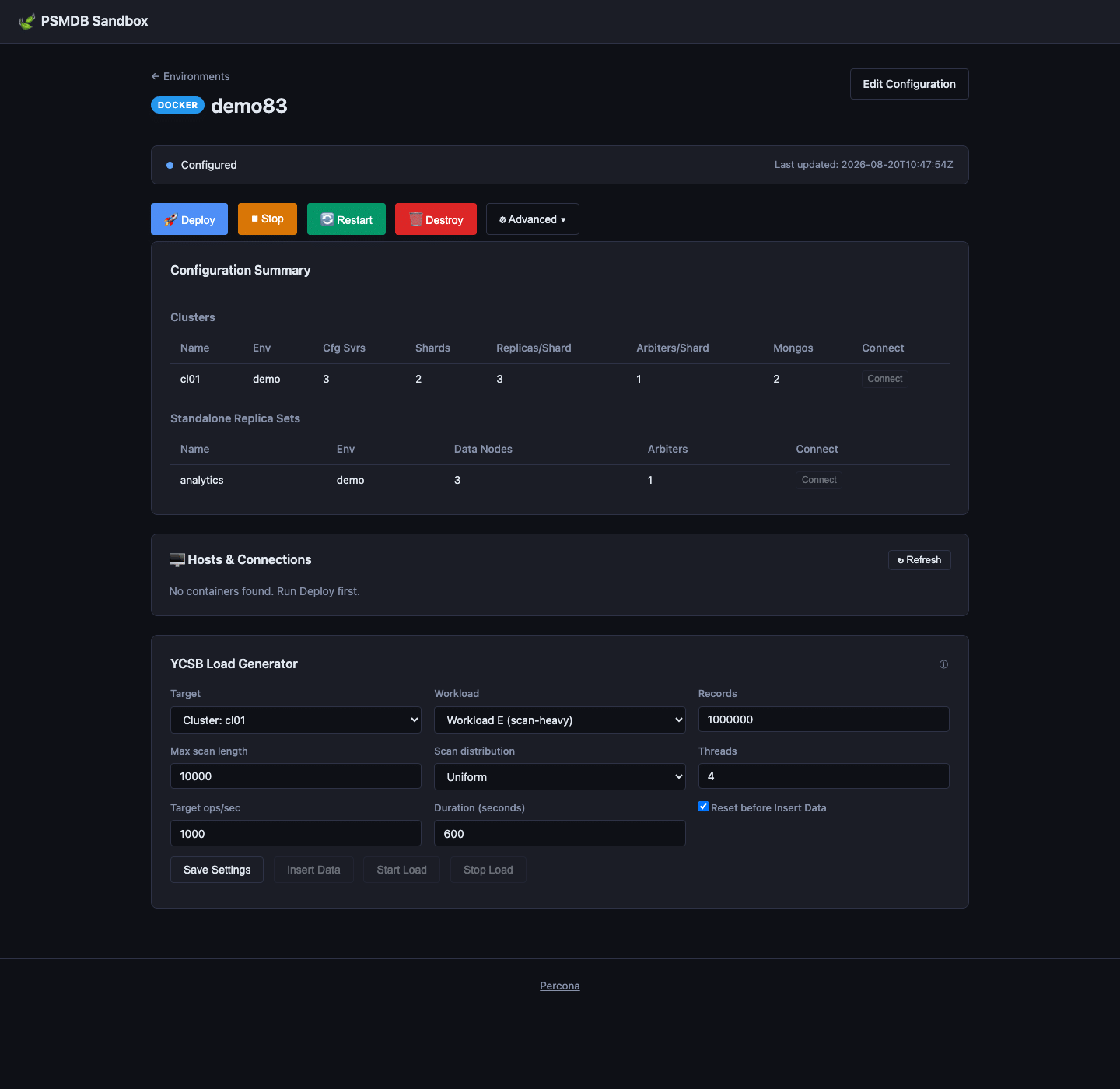
Full lifecycle management is available from the UI. For Docker environments, Stop and Restart call docker stop / docker restart filtered by the environment’s prefix. For cloud-based environments, the corresponding Ansible stop.yml and restart.yml playbooks run. Destroy calls “terraform destroy” and automatically cleans up the resources.
|
1 2 3 |
git clone https://github.com/percona/mongo_terraform_ansible.git cd mongo_terraform_ansible/ui-go go run . |
Then open http://127.0.0.1:5001 in your browser.
If you prefer a compiled binary:
|
1 2 |
go build -o mongodeploy . ./mongodeploy |
You can customize the bind address and port with environment variables:
Security note: The UI is designed for local use. It binds to 127.0.0.1 by default. Don’t expose it to the public internet without adding authentication.
PSMDB Sandbox is a community-contributed tool. If you try it out, run into issues, or have ideas for improvements, open an issue or pull request on GitHub. The project is licensed under Apache 2.0.
Happy deploying!
Resources
RELATED POSTS




